September 14, 2026
Deploy White Label AI Email Triage for Agencies in a Week
Vendor aware guide to AI email triage for agencies and resellers: when to use white label agents, how to pilot securely, and deploy in days.
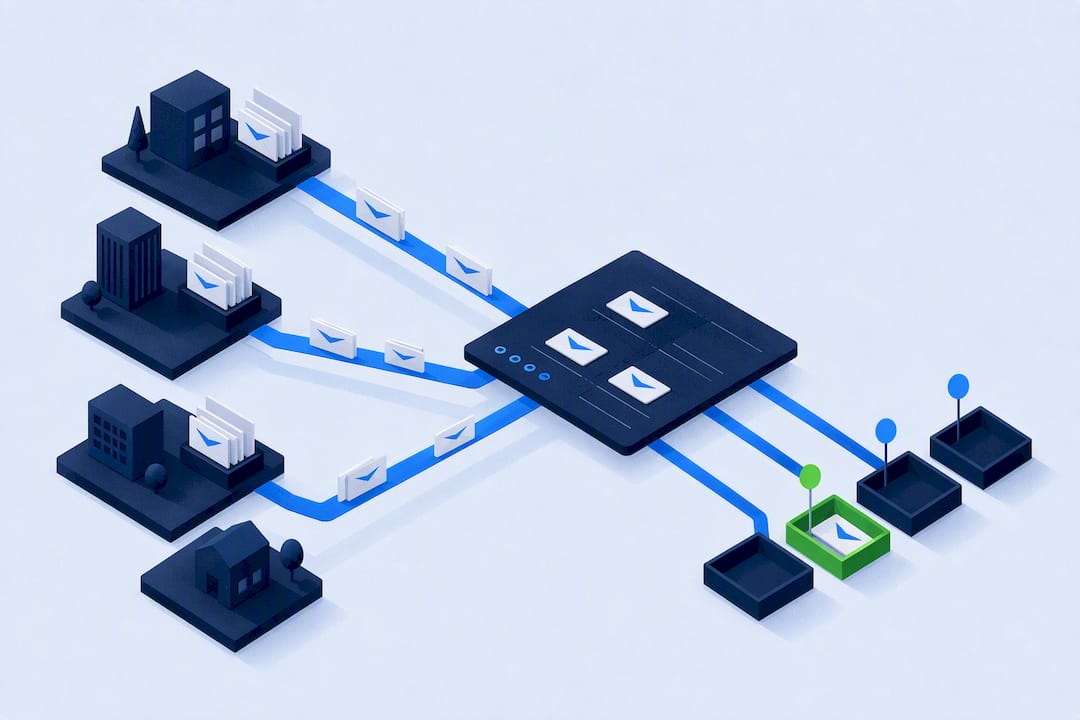
Deploy White Label AI Email Triage for Agencies in a Week
For most businesses, the right move is a white-label or add-on AI agent layered onto existing email, not a custom-built pipeline. It deploys in days, needs no engineering team, and hands you control of categories and routing. The exceptions are teams handling regulated data who need on-prem processing, or solo operators who only need Gmail’s native filters. Agencies and resellers wanting a branded solution should look at a white-label platform.
TL;DR:
- Most businesses benefit from deploying white-label or add-on AI agents for email triage, which can go live in days without extensive engineering.
- Layered pipelines combining deterministic filters, semantic embeddings, and LLM fallback optimize accuracy while controlling costs and latency.
- Regulatory needs for encryption, audit logs, and human review gates are critical before going live to ensure compliance in sensitive industries.
- Resellers and agencies should prioritize white-label platforms with branding controls, multi-channel support, and built-in revenue tracking for quick deployment.
- User adoption depends on minimizing correction effort and clear communication about system limits, with small pilot groups driving better integration.
Table of Contents
- What are the main approaches to AI email triage?
- How do you implement an AI email triage flow?
- Integration, security and governance: what to check before go-live
- How do you choose the right vendor, cost model and timeline?
- Why a white-label AI agent often wins for agencies and resellers
- How do you get your team to actually use it?
- What legal and compliance issues does email automation raise?
- The gap between what vendors promise and what actually works
- Agent Release AI: what a pilot actually looks like
- Sources
- FAQ
What are the main approaches to AI email triage?
Three real paths exist, and they suit very different buyers.
Add-on agents or layers sit on top of Gmail, Outlook, or IMAP without touching your existing setup. They read incoming mail, classify it, and push actions to folders, labels, or connected apps. Deployment is fast, often live within a short time, but you’re working within the vendor’s classification logic and integration limits.
Built-in client features come baked into your existing workspace. Notion’s auto-labelling and similar workspace AI tools fall here. They’re convenient because there’s nothing new to log into, but they rarely reach beyond simple tagging into full workflow automation, and Notion’s own documentation frames this as an assistive labelling loop rather than a full triage system.
Custom in-house pipelines give you total control. A typical build layers deterministic rules, semantic embeddings, and an LLM fallback only for ambiguous cases, an approach the open-source ai-email-triage project documents in detail. This costs the most in engineering time but scales precisely to your rules.
Here’s how they map to buyer needs:
- Need it running this week with minimal setup? Add-on agent.
- Already live in a workspace tool and just want tidier labels? Built-in feature.
- Handling sensitive data or complex, multi-step routing logic? Custom pipeline.
- Reselling to clients under your own brand? White-label agent platform.
How do you implement an AI email triage flow?
Start narrow. Trying to classify every possible email type on day one is how pilots stall.
-
Define categories and success metrics first. Pick three to six categories (urgent, billing, sales lead, support, spam, general) and set a target accuracy or turnaround SLA before writing a single rule. Gather a batch of labelled real emails, not synthetic examples, because Microsoft Learn’s tutorial on custom text classification shows accuracy improves faster with cleaner labels than with a bigger model.
-
Build the pipeline in layers. Deterministic filters catch obvious cases (sender domain, subject keywords). Embeddings handle semantic similarity for anything the filters miss. An LLM only steps in for low-confidence cases. This cascading structure is what the ai-email-triage architecture recommends, and it keeps both latency and API costs down because you’re not calling an LLM on every message.
-
Connect your mailboxes and map outputs to actions. Authenticate via OAuth for Gmail or the Exchange API for Outlook, then decide what each classification triggers: a folder move, a CRM ticket, a Slack ping, a draft reply queued for approval.
-
Set confidence thresholds and a feedback loop. Anything below your threshold goes to a human reviewer, not straight to auto-action. Log corrections and retrain periodically. User trust rises sharply when the system shows its confidence score and lets people fix mistakes easily, a pattern documented in Amarnai’s approach to email sorting.
Pro Tip: Run your pilot on one inbox and one category first. A narrow, well-labelled pilot beats a broad, messy one every time, and it gives you clean data to expand from.
Integration, security and governance: what to check before go-live
Before any AI email triage tool touches live mail, verify the technical and privacy fundamentals.
- Confirm OAuth support for Google Workspace and the Exchange API or IMAP for Outlook and other providers, and check that token scopes are minimised to only what triage requires.
- Ask whether messages are encrypted in transit and at rest, and whether the vendor offers zero-retention processing for sensitive content.
- Require audit logging on every classification and action taken, not just a summary dashboard.
- Confirm human review gates exist for high-impact actions like auto-replies or ticket escalation, not just routing.
- Ask how the vendor handles pseudonymisation or on-prem processing if you operate in a regulated sector.
One detail worth building into any pipeline: a per-message audit trail storing the input hash, classifier output, confidence score, action taken, and any human correction. This lets you retrain and forensically review decisions without retaining full message bodies, a design the ai-email-triage project uses specifically to balance accuracy with privacy. Production tools like Gmelius’s AI dispatching feature similarly expose tagging, archive rules, and analytics dashboards so teams can see what the system is doing, not just trust it blindly.
How do you choose the right vendor, cost model and timeline?
Match your evaluation criteria to what actually matters for your business, not a generic feature checklist.
- Rank your priorities. Speed to market, data control, budget ceiling, and how much customisation you genuinely need, in that order of weight for most small and mid-sized teams.
- Understand the cost shape. Add-on and white-label agents usually run on flat subscription pricing. Custom pipelines carry engineering cost upfront plus ongoing cloud compute, and Azure’s own pricing pages are worth checking before committing to any LLM-backed build, since per-call costs on classification workloads add up quickly at scale.
- Set a realistic timeline. Vendor-led pilots for add-on or white-label agents often go live quickly; custom pipelines typically need weeks for data labelling, integration, and testing before a stable production release.
- Ask pointed vendor questions. How long is data retained? Can you export an audit log on demand? Are there hidden per-seat or per-message fees once you scale past the pilot?
- Watch for red flags. Vague answers on data retention, no audit log capability, or pricing that only becomes clear after signing are all reasons to walk.
Copy this checklist into your next RFP or demo request. It forces vendors to answer in specifics rather than marketing language.
Why a white-label AI agent often wins for agencies and resellers
Agencies and consultants selling AI triage to clients face a different problem: they need to look like the vendor, not resell someone else’s brand. A white-label platform solves that directly.
Look for these capabilities when assessing fit:
- Unlimited tenant creation, so each client gets an isolated, branded instance.
- Custom domain and branding controls that keep your name front and centre, not the platform’s.
- Server-side revenue tracking, so you can see what each client relationship is worth without manual reconciliation.
- A multi-channel inbox covering email alongside WhatsApp, SMS, and web chat, since most clients want more than just email handled.
- Enterprise-grade security controls that you can point to when a client’s compliance team asks questions.
Fast deployment matters commercially as much as technically. A platform that goes live within a week means you can convert a sales conversation into a paying pilot before the prospect cools off, which is the entire economics of a reseller business.
How do you get your team to actually use it?
The best AI email triage system fails if staff quietly route around it. Adoption problems are rarely technical, they’re behavioural.
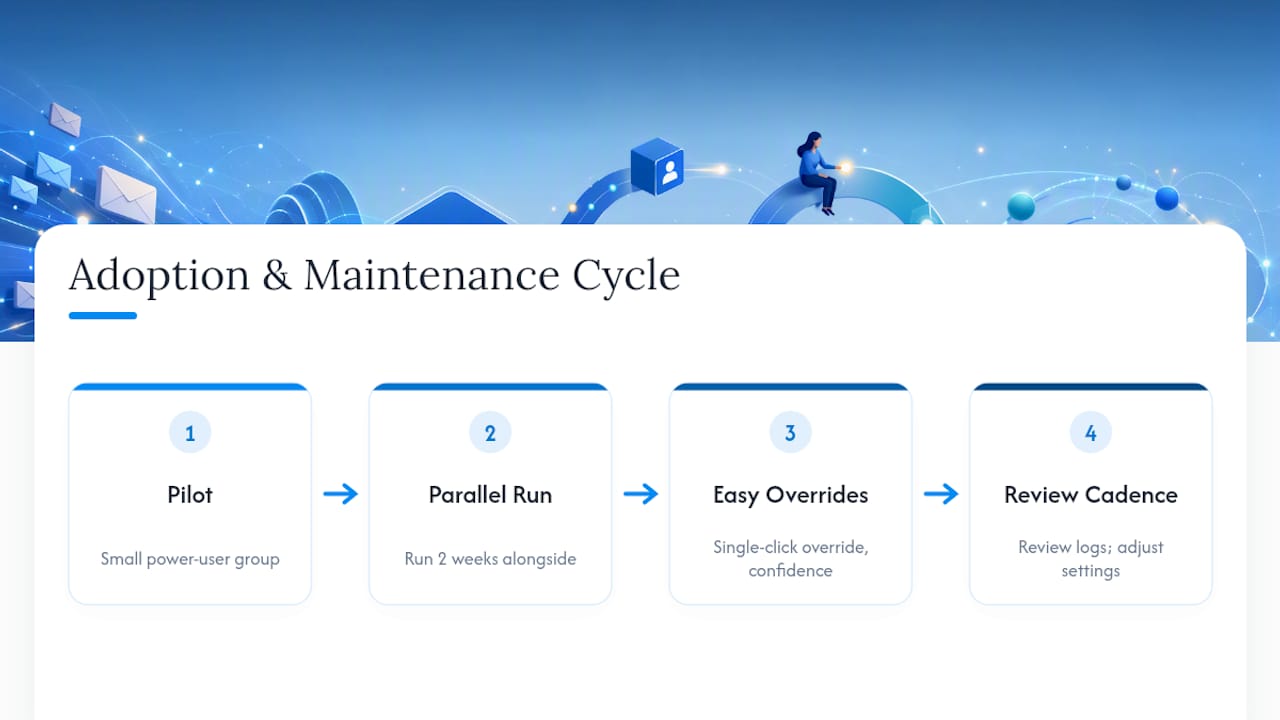
Start with a small group of power users rather than a company-wide rollout. Let them run the system alongside their normal workflow for two weeks before anyone else touches it. This gives you real feedback on misclassifications and a group of internal advocates who can answer colleagues’ questions better than a training document ever will.
Make correction effortless. If flagging a wrong classification takes more than one click, people will stop bothering and the model will stop improving. Systems that surface a confidence score alongside each routed item, and let users override with a single action, see meaningfully better acceptance because staff feel the tool is assisting rather than dictating, a pattern Amarnai’s product documentation highlights as central to user trust.
Communicate what the system does not do just as clearly as what it does. If auto-replies are draft-only and require human approval before sending, say so explicitly. Ambiguity here is what breeds distrust and leads staff to double-check everything manually, which defeats the purpose of automating triage in the first place.
Set a review cadence, weekly for the first month, then monthly, where someone actually looks at correction logs and adjusts categories or thresholds. A triage system left untouched after launch drifts out of alignment with how the business actually communicates.
What legal and compliance issues does email automation raise?
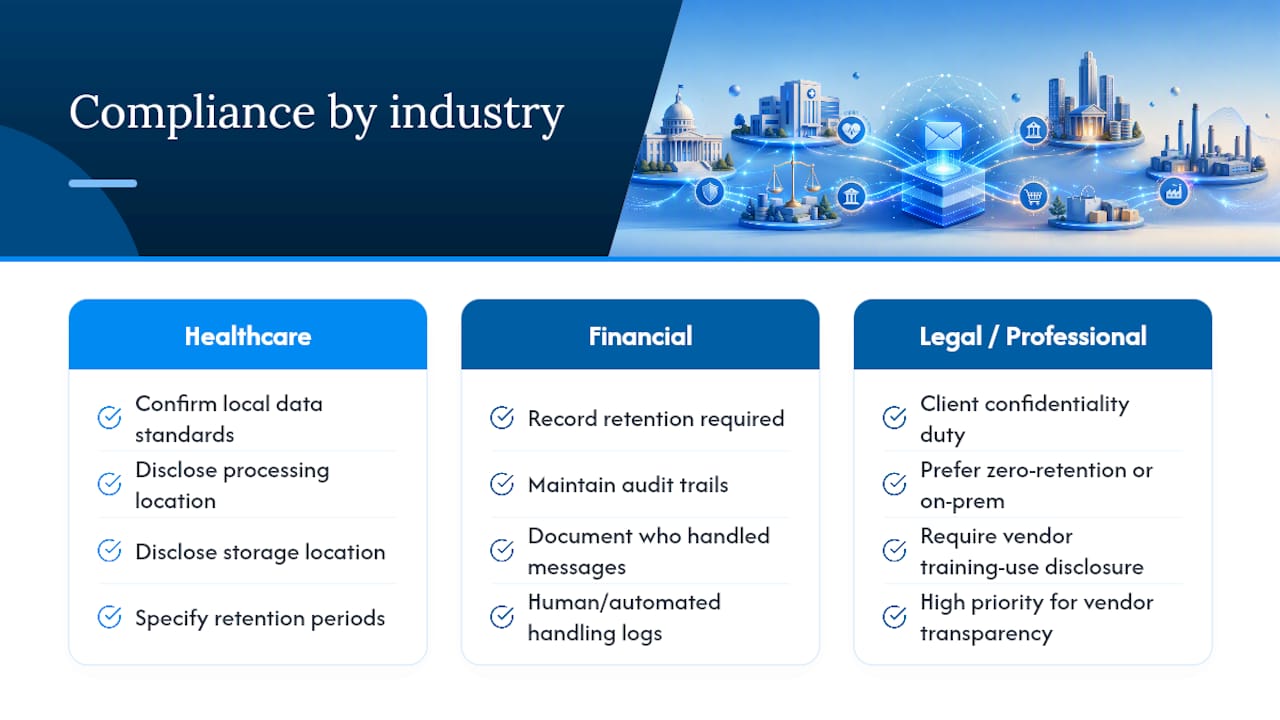
Automating email touches regulated territory the moment personal, financial, or health information passes through a classifier, and the obligations differ sharply by industry.
Healthcare and allied services handling patient correspondence need to confirm any AI vendor supports the data handling standards relevant to their jurisdiction, including where message content is processed and stored, and for how long. Financial services face similar scrutiny around record retention and audit trails, given regulators often require a demonstrable history of how correspondence was handled and by whom, human or automated.
Legal and professional services carry client confidentiality obligations that make zero-retention processing, or on-prem deployment, a much higher priority than for a typical marketing inbox. Any vendor unable to explain exactly where email content is processed and whether it is used to train shared models should be treated with caution in these sectors.
More broadly, businesses operating across borders need to check whether their AI triage vendor’s data processing terms align with the privacy obligations of every jurisdiction their customers sit in. This is not a one-time check. Vendors update terms, infrastructure locations shift, and a system compliant at launch can drift out of alignment a year later without anyone noticing until an audit forces the question.
None of this is a reason to avoid automation. It is a reason to build the audit trail and human review gates discussed earlier into the deployment from day one, rather than retrofitting them after a compliance question catches the business flat-footed.
The gap between what vendors promise and what actually works
Most AI email triage marketing leans on accuracy percentages that mean very little without context. Readers evaluating tools should ask what categories the accuracy figure was measured against, not just accept the headline number.
The conventional advice to “just turn on AI and let it learn” undersells how much the labelling work at the start determines everything downstream. A system fed sloppy training examples will confidently misfile mail for months before anyone notices the pattern. The teams getting the best results are the ones treating the first few weeks as a labelling exercise, not a set-and-forget automation.
Where I’d push back hardest is the false choice between “buy a tool” and “build a pipeline.” Most businesses do not need to choose. A white-label agent handles the plumbing while still leaving room for custom rules and category definitions specific to your business. Prioritise clean categories and a working feedback loop before worrying about which vendor has the flashiest dashboard.
— Agent
Agent Release AI: what a pilot actually looks like
If you’re an agency, consultant, or reseller reading this thinking “I want to offer this to my clients under my own name,” white-label platforms address this need. Instead of stitching together separate tools and hoping the branding holds together, you get a white-label platform purpose-built for launching branded AI agents fast, with revenue tracking baked in from day one.
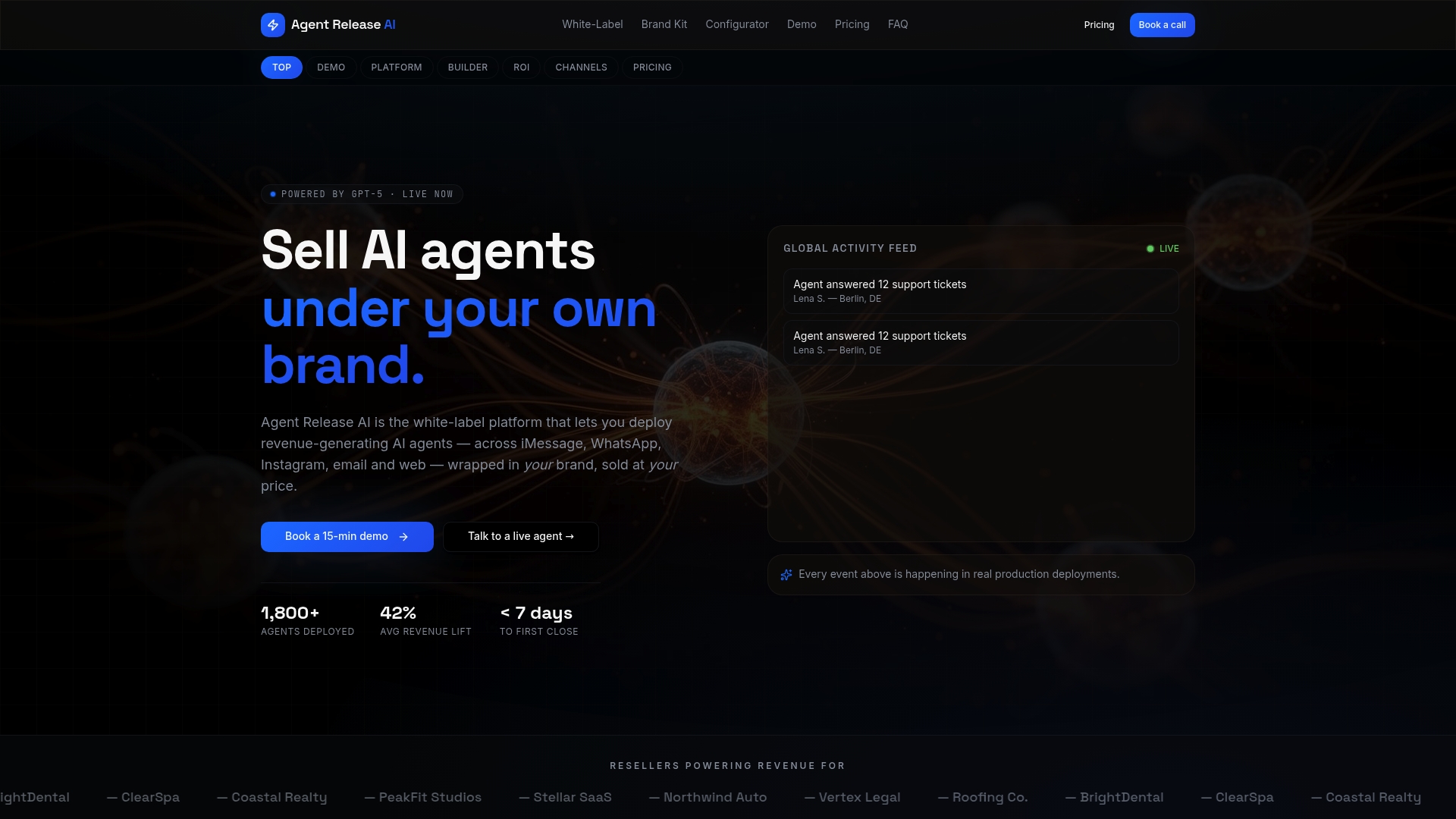
Agentrelease’s white-label configurator lets you set up branded agents across email and other channels without engineering resources, and the platform’s brand kit generator handles the visual identity work that usually eats the first few weeks of any reseller launch. Unlimited tenant creation means every client gets their own isolated instance under your name, not a shared, generic backend.
If you’re weighing this up, request a demo scoped to one client vertical and one channel first, email triage specifically, and validate three things during the trial: how quickly a new tenant can go live, how granular the branding controls actually are, and whether server-side revenue attribution matches what you’d need for client invoicing. Explore the full white-label feature set before your first call so you walk in with the right questions.
Sources
For teams wanting to go deeper on the technical build, Microsoft Learn’s Power Automate tutorial walks through a full custom classification flow. The ai-email-triage repository documents an open-source cascading pipeline worth studying before any in-house build.
- Triage incoming emails with Power Automate - Foundry Tools | Microsoft Learn
- stonefullstm/ai-email-triage
- Azure pricing and purchase options
- Gmelius AI dispatching: Email sorting assistant
FAQ
What is AI email triage?
AI email triage is the automated process of reading, classifying, and routing incoming emails by urgency, intent, or category, using machine learning or large language models instead of manual sorting.
What is the best way to triage emails?
Start with a narrow set of categories, use a layered pipeline of deterministic rules, embeddings, and LLM fallback for ambiguous cases, and keep a human review gate on high-impact actions until accuracy proves out over several weeks.
What is the 3 email rule?
There’s no single universal standard called the “3 email rule,” but a common informal version limits an inbox thread to three replies before switching to a call or meeting, a habit some teams pair with AI triage to flag threads exceeding that limit automatically.
Can ChatGPT organise my emails?
ChatGPT and similar LLMs can draft classification logic or summarise threads when connected via API, but they need integration work, folder or label mapping, and confidence thresholds to function as a full triage system rather than a one-off assistant. Purpose-built tools or a platform like Agentrelease handle that integration layer directly.
Is a white-label AI agent better than a custom-built pipeline?
For agencies and resellers wanting to launch branded solutions quickly, a white-label agent is usually the faster, lower-risk path since it avoids the engineering time a custom pipeline demands, though teams with strict data control needs may still prefer building in-house.