September 24, 2026
Small Businesses: 15-Minute Instagram DM Auto Reply, Compliance First
Set up Instagram DM auto replies in 15 minutes with Meta Business Suite. Start small, test, and obey the 24-hour messaging window and hourly rate limits.

Small Businesses: 15-Minute Instagram DM Auto Reply, Compliance First
The fastest fix for Instagram DM auto reply is Instant Reply and Away Message inside Meta Business Suite. These native tools take minutes to set up and cover most small business needs. Only reach for a third-party API tool when you need keyword triggers, comment-to-DM funnels, or CRM lookups, and even then, watch the 24-hour messaging window and hourly rate limits when you design any follow-up.
TL;DR:
- Native Instagram auto-replies, including Instant Reply and Away Message, are quick to set up and ideal for broad, volume-based responses within a 24-hour messaging window.
- Third-party API tools become necessary when automated replies depend on specific customer data, such as order status or personalized routing, and for comment-to-DM funnels triggered by keywords.
- Proper setup involves confirming a business or creator account, configuring FAQs in the app, and scheduling messages in Meta Business Suite; testing outside business hours helps verify correct triggers.
- Messaging rules impose a 24-hour reply window and a limit of 200 outbound messages per hour per account, which business automations must respect to avoid errors or message drops.
- CRM-aware automation platforms, like Agentrelease, offer branded, multichannel solutions with quick deployment, suited for agencies and small businesses seeking advanced, personalized customer interactions.
Table of Contents
- What does “Instagram auto reply” actually mean?
- How do I set up Instagram auto reply the native way?
- When do you need third-party or API automation instead?
- What are the platform rules you can’t afford to break?
- What should your auto-reply messages actually say?
- When does a white-label AI agent make more sense than DIY automation?
- What I’ve learned watching businesses roll this out badly
- Ready to move past DIY automation on Instagram?
- Where to verify these details yourself
- Sources
- FAQ
What does “Instagram auto reply” actually mean?
Three completely different features hide under this one phrase, and mixing them up is the number one reason automations misfire.
Saved replies and FAQs are the simplest tier. You write up to four questions and answers in your Professional dashboard, and Instagram surfaces them as tappable buttons when someone opens a chat with you. There’s no real “automation” here beyond a menu. Instant Reply and Away Message, by contrast, send one fixed message to everyone who messages you, whether you’re offline, busy, or just want every new conversation to start with the same greeting. Both send the same text to every sender and cap out at 500 characters, so they’re built for volume, not nuance.
Instagram’s built-in AI auto replies sit a level up. Instagram now lets you toggle AI-generated auto replies on for a selected audience, and the model can hold a loose, conversational exchange rather than repeating one script. It’s a genuine step forward for handling common questions at scale. What it can’t do is touch your business systems. It has no access to your order database, your booking calendar, or your CRM, so it’s built for conversational volume, not transactional lookups.
API and third-party automation is the only tier that can act on private data. Connected to the Instagram Messaging API, a tool can check order status, route a lead to the right salesperson, or fire a sequence triggered by a specific word in a comment. Hootsuite’s breakdown of the three DM automation flavours recommends this tier specifically for keyword triggers and comment-to-DM funnels, because neither saved replies nor Instagram’s AI can do it natively.
The decision rule is simple:
- If every customer gets the same answer, use Instant Reply or Away Message.
- If you want natural conversation without touching personal data, turn on Instagram’s AI auto replies.
- If you need to look up an order, a booking, or a customer record, or trigger a reply from a comment, you need an API-connected tool.
How do I set up Instagram auto reply the native way?
Before touching any toggle, confirm you’re running a Professional account (Business or Creator), not a personal one, and that message permissions are switched on in your privacy settings. Native automation simply won’t appear otherwise.
- Set up FAQs in the Instagram app. Open your Professional dashboard, tap Tools, then Frequently Asked Questions. Add up to four questions with short answers. These appear as quick-reply buttons the moment someone opens a new chat, which is genuinely handy for repeat questions like shipping times or opening hours.
- Switch to Meta Business Suite for Instant Reply and Away Message. Go to your Inbox, then Automations. You’ll find Instant Reply (fires the moment someone messages you) and Away Message (fires outside your set hours, or whenever you toggle it manually).
- Write the message. Keep it under the 500-character limit and insert the first-name variable so it doesn’t read like a form letter. Something like “Hi {{first_name}}, thanks for reaching out. We reply within 24 hours on weekdays” does the job without sounding robotic.
- Schedule it, then flip it on. Away Message lets you set business hours so it only fires when you’re actually offline. Instant Reply can run continuously if you want every new conversation greeted the same way.
- Run a real test. Message your own account from a second profile or ask a colleague to send a test DM. Confirm the toggle is genuinely active, the scheduled hours match your intent, and the message renders correctly, including the name variable.
Pro Tip: Send your test message outside business hours specifically to confirm Away Message triggers correctly. A surprising number of small businesses discover months later that their “after hours” reply has been firing all day because the schedule was never saved.
Native tools take maybe fifteen minutes to configure properly, and for a huge share of small businesses, that’s the entire job done. If you’re still typing “what are your hours” replies by hand after this, something in the setup hasn’t saved.
When do you need third-party or API automation instead?
Native tools run out of road the moment you want a reply that depends on what the customer actually said or who they actually are.
Comment-to-DM and keyword triggers turn a Reel or post into a lead funnel. Someone comments “info” under your ad, and a keyword-triggered automation slides a DM into their inbox with a link or an offer, no manual follow-up required. This is one of the clearest wins of API automation and it’s simply not available through Instant Reply or the native FAQ tool.
CRM lookups and multi-step flows unlock the transactional layer entirely. A properly connected bot can check an order number against your fulfilment system, route a wholesale enquiry to a different inbox than a retail one, or ask for an email address and pull up a customer’s account history before replying. None of this works without linking the conversation to an actual record. Automation that never connects to a CRM tends to produce generic, unsatisfying answers no matter how clever the wording, because there’s no identifier tying the chat to real customer data.
The trade-off is real. API automation means more moving parts: an approved Meta developer partner, ongoing compliance with messaging policy, and a genuine setup cost in either time or subscription fees. Platform documentation for tools like Gupshup shows how journeys need Welcome and Fallback paths configured before they behave reliably, which is a different level of setup than ticking a toggle in Meta Business Suite.
Before choosing a platform, check it against this list:
- Does it use an approved Instagram Messaging API integration, not a workaround that risks your account?
- How does it handle errors, like a failed lookup or a timeout on your backend?
- Can it queue messages during high volume instead of dropping them?
- Is there a clean handover to a human when the automation hits its limit?
What are the platform rules you can’t afford to break?
Two numbers govern everything about Instagram DM automation, and both come from Meta’s own messaging policy rather than any third-party tool.
The first is the 24-hour messaging window. It opens or resets the moment a user sends you a message, and once it closes, API messaging is blocked until the person messages you again. This is why a follow-up sequence that assumes you can message someone on day three, unprompted, simply won’t send. Design every automated conversation to earn a reply within that window, not to broadcast into silence.
The second is the rate limit. Outbound API messages commonly cap at 200 messages per hour per account, and platforms typically queue anything over that limit rather than losing it. For most small businesses this ceiling is invisible. For anyone running a comment-to-DM funnel off a viral post, it’s the first thing to check when messages seem to lag.
| Rule | What it means | Practical consequence |
|---|---|---|
| 24-hour window | Opens or resets when the user messages you | Follow-ups after 24 hours need the user to re-engage first |
| 200 messages/hour | Per-account cap on outbound API sends | Excess messages queue rather than fail outright |
| Human Agent tag | Allows a human reply outside the window, once per week | Use for genuine support escalations, not marketing |
Meta also permits a Human Agent tag that lets a real staff member reply outside the 24-hour window, but it’s limited to roughly a seven-day follow-up allowance and it’s meant for support handovers, not for squeezing in another sales message. Treat it as an exception valve, not a workaround for the window itself.
The practical pattern that works: make your very first automated message specific enough that it invites a reply. A generic “thanks for messaging” often ends the conversation right there. A question, “Are you after pricing or a demo?”, reopens the window and gives your automation something to work with. Several industry guides on the 24-hour window point to this exact pattern as the difference between automations that convert and ones that quietly die in the inbox.
What should your auto-reply messages actually say?
Generic templates are why so many auto replies feel cold. A few adjustments make a measurable difference.
- Instant Reply: “Hey {{first_name}}, thanks for the message! We’re online most days 9am to 5pm and usually reply within a couple of hours.”
- Away Message: “Thanks for reaching out, {{first_name}}. We’re closed right now but back online tomorrow at 9am. Leave your question and we’ll pick it up first thing.”
- Product enquiry: “Great question! Our [product name] starts at [price]. Want me to send the full spec sheet or check stock in your size?”
- Booking confirmation: “You’re locked in for [date/time]. Reply CHANGE if you need to reschedule, otherwise we’ll see you then.”
- Comment-to-DM first touch: “Saw your comment on our Reel! Here’s the link you asked about: [link]. Anything else you want to know before you order?”
Every one of these ends on a question or a clear next step, which is exactly what reopens the 24-hour window when you need it. A flat statement with no invitation to reply is a dead end, automated or not.
Testing matters as much as writing. Send messages from a second account, check your visible send logs in Meta Business Suite for delivery errors, and run a handful of sample scenarios, a happy customer, a confused one, someone asking something your bot can’t answer. Watch specifically for false positives, cases where a keyword trigger fires on the wrong phrase and sends an irrelevant reply. And build an escalation rule from day one: the moment a conversation needs a human, hand it over with the full message history intact, not a cold restart that makes the customer repeat themselves.

When does a white-label AI agent make more sense than DIY automation?
Once you’re past keyword triggers and into genuine CRM-aware conversations, order lookups, personalised routing, multi-channel handoffs, building and maintaining that stack yourself gets expensive fast, which is where Wattle’s AI voice agents that answer the phone can complement your multichannel automation strategy. This is the point where a white-label platform earns its keep.
Agentrelease builds branded AI agents that work across Instagram DMs alongside WhatsApp, iMessage, SMS, email, and voice, all under your own brand rather than a third-party badge. For agencies and consultants reselling automation to clients, that branding control matters as much as the automation itself.
A few practical advantages stand out for this exact use case:
- Deployment is typically fast, avoiding months of custom integration work.
- Server-side revenue tracking helps resellers monitor what client agents are generating.
- Security and tenant creation features allow an agency account to run branded agents for multiple clients without rebuilding infrastructure each time.
This fits three buyer profiles particularly well: marketing agencies wanting to resell automation under their own name, SaaS resellers looking for a fast-to-deploy channel to bundle into existing offers, and small business owners who’ve outgrown native tools but don’t want to manage API infrastructure directly. If your Instagram automation needs have crossed into CRM territory, this is the category of tool built for exactly that jump. You can see how the white-label configurator handles branding and customisation before committing to anything.
What I’ve learned watching businesses roll this out badly
Most rollouts fail from doing too much on day one. A business enables Instant Reply, three FAQs, and a keyword-triggered bot all in the same afternoon, then can’t work out which piece is causing the weird replies customers are screenshotting.
Start with an Away Message and three saved replies. Nothing more. Let it run for a week and read every reply that went wrong. That list of failures is worth more than any template, because it tells you exactly where your customers’ language diverges from what you assumed they’d type. Only once that base is stable does it make sense to connect a CRM. Promising a personalised answer before the automation actually knows who it’s talking to is how good intentions turn into a customer complaint.
— Agent
Ready to move past DIY automation on Instagram?
If you’ve worked through native Instant Reply, Away Message, and even a basic keyword bot, and you’re still hitting the wall where customers want order status or personalised answers, that’s the CRM gap no native Instagram feature closes. Agentrelease exists for exactly that jump: a white-label platform where your branded AI agent runs across Instagram DMs, WhatsApp, SMS, email, and voice from one system, with server-side revenue tracking so you can see what each automation is actually worth.
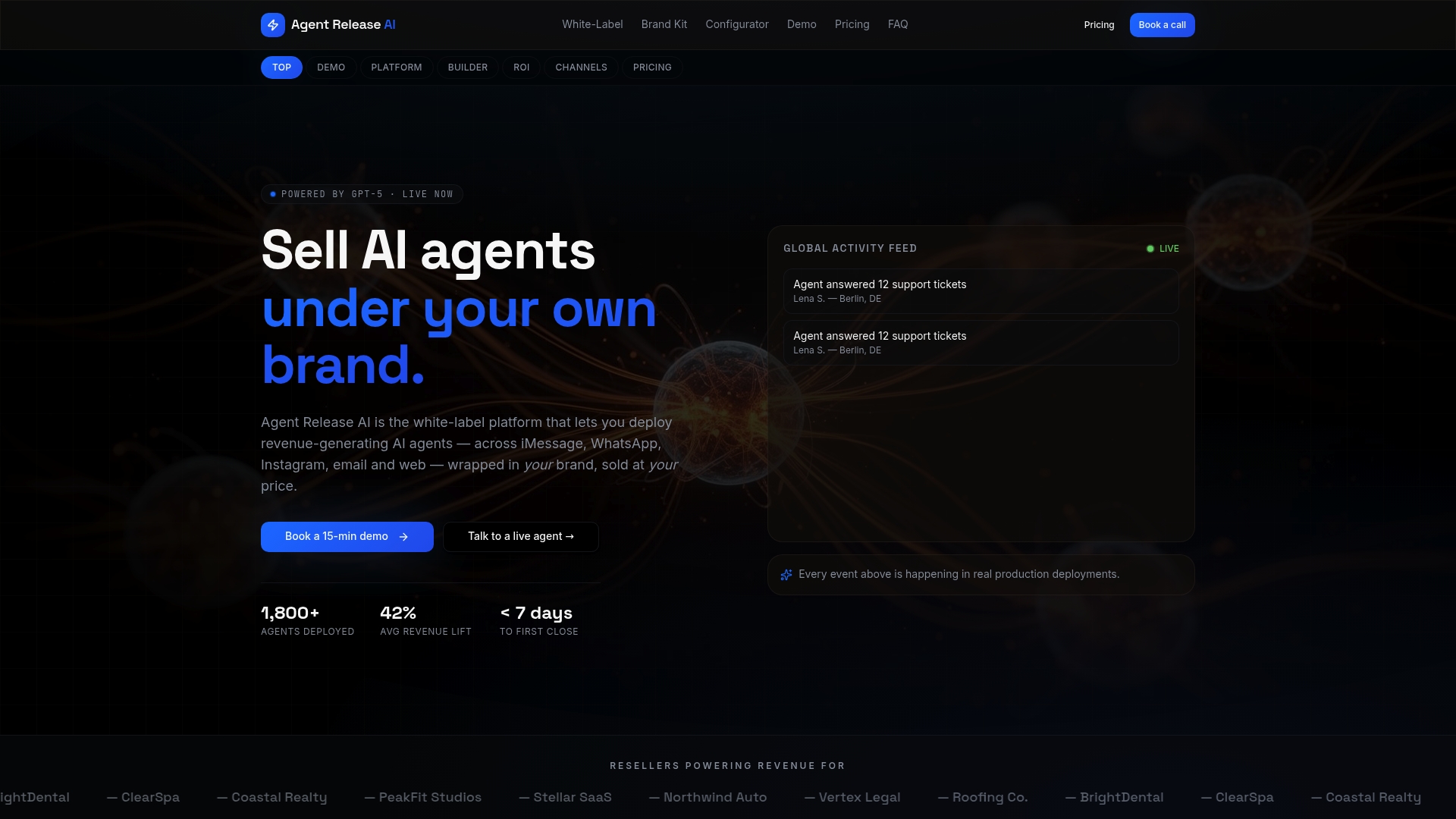
Deployment is typically under a week, with no per-message or revenue-share fees eating into what you charge clients. That matters most if you’re an agency or consultant planning to resell automation rather than run one bot for one business. The platform runs at $497 a month with unlimited agents and channels, and the separate white-label program covers full branding and domain control for resellers who want their clients to never see the Agentrelease name at all. If CRM-aware Instagram automation is the next step for your business, check the pricing page and see whether the numbers make sense against what you’re charging clients today.
Where to verify these details yourself
For the exact toggles and wording Instagram uses, check Instagram Help’s AI auto reply guide directly. For API policy specifics, including the 24-hour window and rate limits, the Instagram Messaging API policy guide covers the technical detail in full.
Sources
- Turn on AI auto replies for Instagram
- How to Set Up Auto Reply on Instagram DMs – Inrō
- How to automate DMs on Instagram — Hootsuite
- Instagram Messaging API 24-Hour Window Policy: The Complete Guide (2026)
FAQ
How do I turn off automatic DM replies on Instagram?
Open Meta Business Suite, go to Inbox, then Automations, and toggle off Instant Reply or Away Message individually. For native FAQs, go to your Professional dashboard, then Tools, and remove or edit the questions listed there.
How do I change my auto-reply message on Instagram?
In Meta Business Suite, open Automations under your Inbox, select Instant Reply or Away Message, and edit the text directly, keeping it under the 500-character limit. Save and the new message applies to every new conversation immediately.
How do I automate my Instagram DM?
Start with native Instant Reply and Away Message in Meta Business Suite for instant coverage, then add FAQs in your Professional dashboard for common questions. If you need keyword triggers, comment-to-DM funnels, or lookups against your own systems, that requires an API-connected third-party tool or a white-label platform like Agentrelease built for CRM-aware conversations.
Is there a free way to automatically send DMs to comments on Instagram?
Native Instagram tools don’t offer comment-to-DM automation directly, that capability sits in the API and third-party tier. Some tools offer limited free plans, but reliable, compliant comment-to-DM automation generally requires a paid platform connected through an approved Instagram Messaging API integration.
What’s the difference between Instagram’s AI auto replies and a third-party bot?
Instagram’s native AI auto replies handle natural conversation but can’t access private business data like order status or CRM records. A third-party or white-label tool connects to the Instagram Messaging API and your backend systems, enabling personalised, transactional replies the native AI simply can’t produce.