September 16, 2026
Cut Call Costs Up to 60%: Phone Call AI Assistant for Resellers
Decide if a phone call AI assistant suits your reseller or agency: ROI, deployment checklist, compliance, integrations, and how Agentrelease speeds...
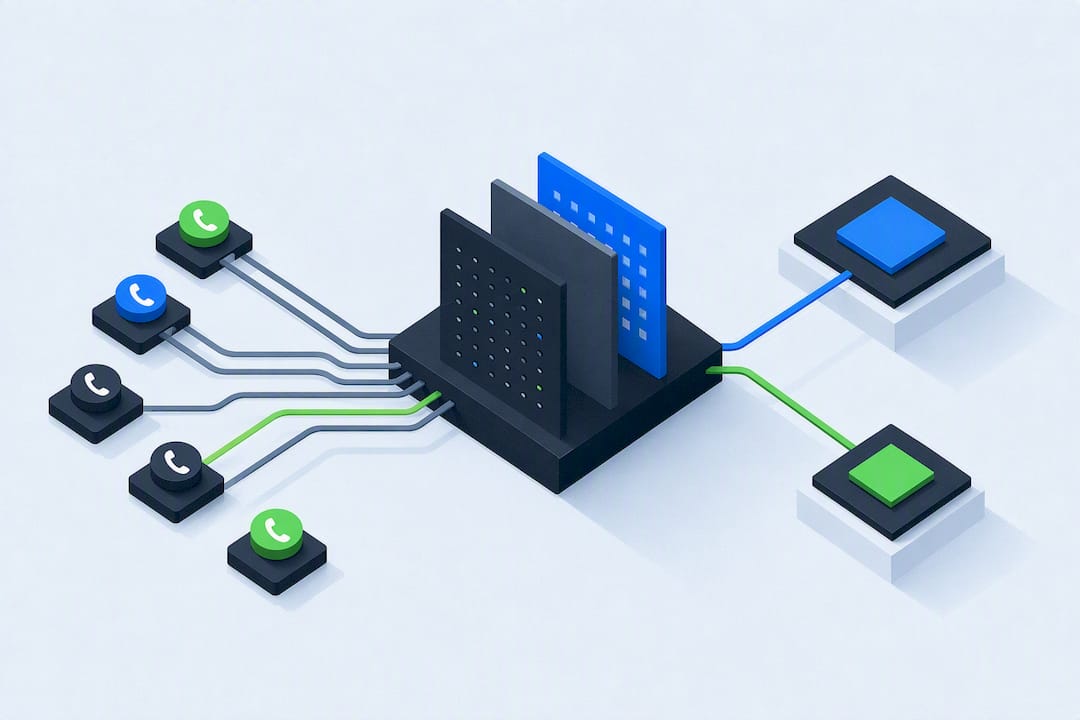
Cut Call Costs Up to 60%: Phone Call AI Assistant for Resellers
Yes, if your business handles repetitive inbound calls (bookings, FAQs, lead intake) or needs consistent outbound follow-ups, a phone call AI assistant is worth deploying now. Routine call volume is exactly what these systems handle best, while complex or emotional conversations still need a human on the line. If you’re evaluating options as a reseller or agency, white-label platforms like Agent Release AI give you a direct path to launch branded voice agents fast. Check the features checklist below before you commit to any vendor.
TL;DR:
- Phone call AI assistants are most effective for handling routine inbound calls such as scheduling, lead qualification, and message intake, with outbound calling still requiring careful compliance management.
- ROI reaches up to 60 percent cost reduction for operational expenses when deploying AI for peak hours and overnight coverage, especially in hybrid models combining AI and human agents.
- Successful implementation depends on seamless integration with existing systems like calendars and CRMs, along with proper scripting, testing, and a shadowing period of at least a week before full deployment.
- Privacy and compliance features must include AI disclosures, consent prompts tailored to jurisdictions, data retention controls, and enterprise-grade security measures.
- Resellers benefit from white-label platforms that support rapid deployment, multi-channel management, and revenue tracking, with Agentrelease offering a package starting at $497 per month for unlimited usage.
Table of Contents
- What does a phone call AI assistant actually do?
- Does an AI call handler actually deliver ROI?
- How does an AI voice assistant for calls actually work?
- What should you expect during deployment and setup?
- What compliance and privacy rules apply to voice AI?
- Which integrations actually move the needle?
- Why resellers should look at white-label platforms
- How Agent Release AI matches this checklist
- Sources
- FAQ
What does a phone call AI assistant actually do?
A phone call AI assistant answers calls on your business number, understands what the caller wants, and either resolves the request or routes it to a person. That’s the baseline. The better platforms go further, handling both directions of the conversation and tying the call back into your existing systems.
Common tasks include:
- Inbound answering — picking up calls 24/7, screening spam, and greeting callers by context
- Appointment booking — checking a live calendar and confirming a slot without human input
- Lead qualification — asking screening questions and logging the answers to a CRM
- Message intake — taking detailed messages and summarising them for staff
- Outbound follow-ups — reminder calls, missed-payment nudges, or re-engagement campaigns
Outbound work needs more care than inbound. A caller who dials your number has already opted into the conversation; a business calling someone unprompted carries more complex compliance obligations around consent and timing. This is why most vendors, including app-based tools like Mitra, lean heavier on inbound answering, spam screening, and booking than on cold outbound dialling.
Clinics use it for appointment scheduling and reminder calls. Trades and field service businesses use it to catch after-hours emergency calls without paying overtime. Sales teams use it to qualify inbound leads before a rep ever picks up the phone.
Does an AI call handler actually deliver ROI?
Enterprise voice-AI vendors report operational cost reductions of up to 60%, largely from consistent call handling during peak hours and overnight, when a human team would otherwise be understaffed or asleep.
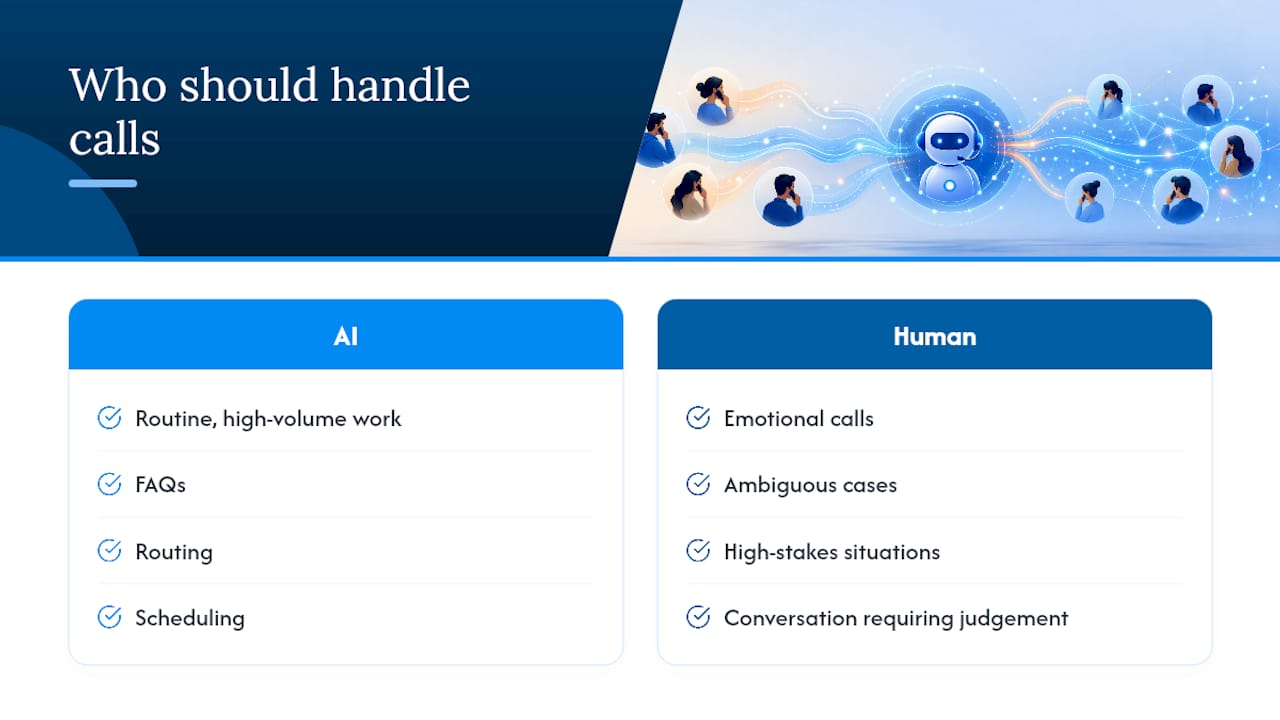
That number comes with a condition: the ROI depends on which calls you hand to the machine. Specialist reporting on SME customer engagement recommends a hybrid AI-plus-human model — let the AI take routine, high-volume work like FAQs, routing, and scheduling, and escalate anything emotional, ambiguous, or high-stakes to a person. Pairing the two means staff spend less time on repeat calls and more on the conversations that need judgement.
Once live, track a small set of KPIs: answer rate, average handling time, booking conversion, and escalation rate. If escalations climb past a sensible threshold, your scripts or intent detection need tuning, not more AI.
How does an AI voice assistant for calls actually work?
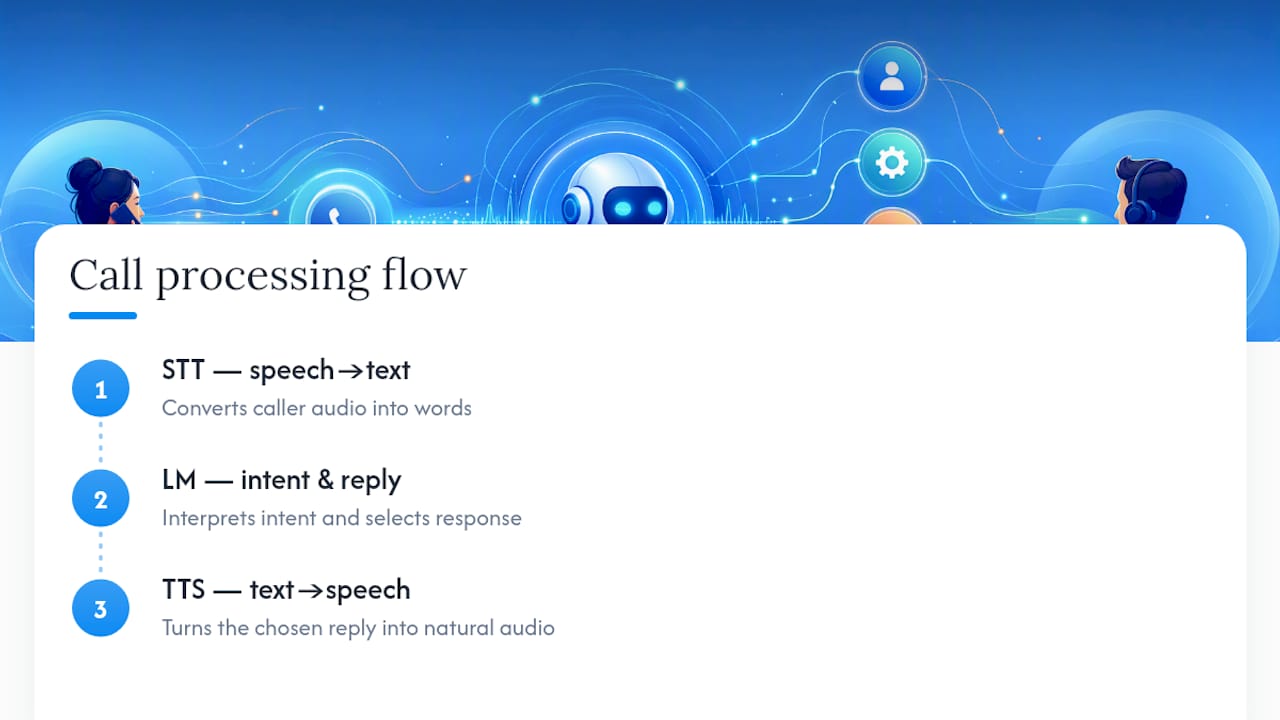
Three components do the heavy lifting. Speech-to-text (STT) converts the caller’s voice into words. A language model interprets intent and decides what to say next. Text-to-speech (TTS) turns the reply back into natural-sounding audio. A well-built stack combines all three smoothly, and the gaps between them are where quality lives or dies.
The real differentiator against an old-school IVR menu is interruption handling. A caller who talks over the assistant, changes their mind mid-sentence, or answers a question before it’s finished should not get a “sorry, I didn’t catch that” loop. Good systems process speech continuously and adjust, rather than waiting for a pause that never comes.
Latency matters just as much as accuracy. A half-second delay feels human; a two-second delay feels broken. This is largely down to integration quality, including how the platform connects to the phone network. Carrier quality and options like bring-your-own-carrier (BYOC) telephony directly affect call clarity and drop rates.
What should you expect during deployment and setup?
Getting a phone call AI assistant live involves connecting your number, syncing your calendar or CRM, writing the call scripts, and setting escalation rules for when the AI hands off to a human.
- Connect your number — forward your existing business line or provision a new one
- Sync your systems — link the calendar for bookings and the CRM for contact records
- Write the scripts — define greetings, common questions, and escalation triggers
- Set handoff rules — decide which topics or sentiment cues trigger a transfer to staff
- Run test calls — call in yourself, using edge cases and unusual phrasing
- Shadow the launch — let the AI answer while a human listens in for the first batch of calls
- Monitor and refine — review transcripts weekly and adjust scripts based on real gaps
Basic inbound tests can go live in minutes to hours on some platforms, but full enterprise rollouts with CRM and practice-management integrations take longer and need proper planning. Budget accordingly rather than assuming every deployment is a same-day job.
Pro Tip: Run the shadowing phase for at least a week before switching to full autonomy. Listening to real transcripts surfaces the phrasing quirks and edge cases no test script anticipates.
What compliance and privacy rules apply to voice AI?
Disclosure comes first: callers should hear that they’re speaking with an AI within the opening sentence, not buried in fine print. This is both good practice and, in many jurisdictions, a legal requirement.
Recording consent needs the same attention. Two-party consent rules in some regions mean a call can’t be recorded without both sides agreeing, so a compliant platform needs configurable, consent-aware recording prompts rather than one setting for every market. Vendor platforms increasingly bake disclosure and consent flows directly into call templates.
Before signing with any provider, confirm:
- AI disclosure plays automatically at call start, every time
- Recording consent prompts adjust based on jurisdiction, not a single default
- Data retention periods are defined and adjustable
- Personally identifiable information can be redacted from transcripts and logs
- Enterprise-grade security controls (encryption, access controls, audit logs) are documented, not just claimed
Which integrations actually move the needle?
A phone call AI assistant without integrations is just a fancy answering machine. The value shows up when it talks to the rest of your stack.
- Calendar sync — the assistant checks live availability and confirms bookings without double-entry, similar to the appointment flows platforms like Wattle offer for inbound scheduling
- CRM write-back — new contacts get created automatically, tagged by intent, and dropped into the right sales stage
- SMS and email confirmations — callers get a text or email recap immediately after hanging up, reducing no-shows
- Omnichannel handoff — a call that starts on the phone can continue by SMS or web chat without the caller repeating themselves
CRM write-back matters most for sales teams, since it feeds pipeline data straight into workflows similar to what revenue intelligence platforms use to score and prioritise leads. Without it, every qualified call becomes manual data entry.
Why resellers should look at white-label platforms
If you’re an agency or consultant weighing whether to build this in-house or resell it, white-label changes the maths. A platform that lets you deploy under your own brand, with your own domain and pricing, keeps the client relationship yours, not the vendor’s.
Agent Release AI documents rapid deployment and multi-tenant support built specifically for this reseller model, alongside server-side revenue tracking so each client’s billing stays auditable rather than buried in a shared ledger. For an agency managing multiple client accounts, that separation isn’t optional. Case studies and specific client results for individual deployments will vary by sector and are worth requesting directly before you commit to any reseller agreement.
— Agent
How Agent Release AI matches this checklist
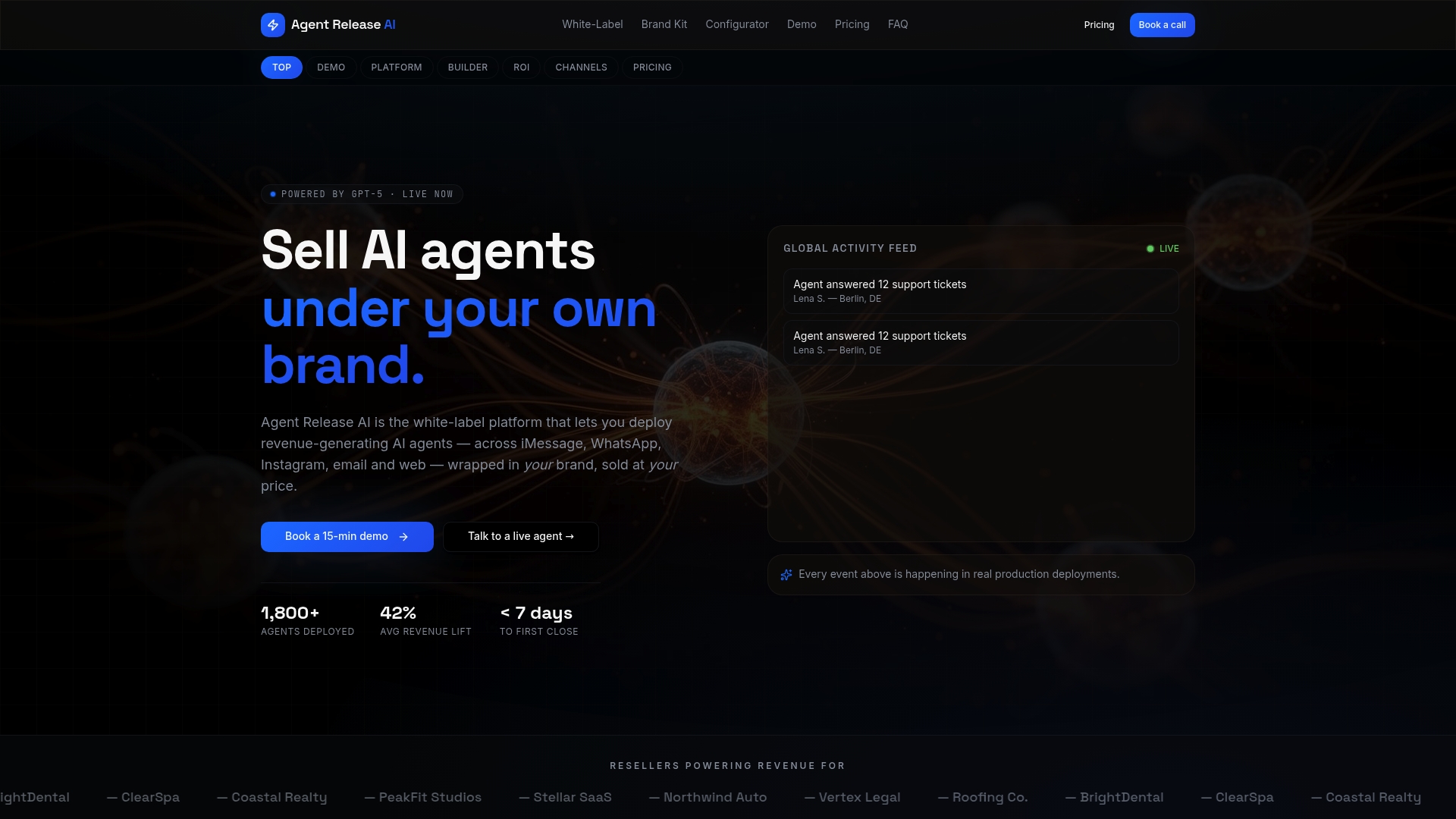
Every feature covered above maps directly onto what Agentrelease ships. Deployment typically runs under a week, not months, so you’re not stuck waiting on an integration timeline that outlasts your sales pitch. The platform runs multi-channel agents across voice, SMS, WhatsApp, and email under one roof, with server-side revenue attribution baked in from day one.
For agencies and consultants, this is the difference between reselling a bolted-together stack and reselling a single branded product. Agentrelease is built for exactly that: unlimited tenant creation, custom domain and branding controls, and enterprise-grade security, without the setup fees or revenue-share cuts some platforms tack on.
Plans start at $497 a month for unlimited agents and channels. If you’re planning to resell under your own brand, the white-label program is where the multi-tenant and revenue-tracking features live. Explore the configurator to see how quickly a branded agent can go from setup to live calls, and book a demo to walk through your specific use case before you commit.
Sources
FAQ
Can I use AI to make a phone call?
Yes. Phone call AI assistants can place outbound calls for reminders, follow-ups, and re-engagement, though unsolicited outbound work carries more compliance obligations than answering inbound calls.
Is there an AI personal assistant that can make phone calls?
Several consumer apps, including Mitra, can answer and place calls on your behalf, while business-grade platforms like Agentrelease are built for higher call volume and CRM integration rather than personal use.
How do I enable an AI call handler for my business?
You forward or provision a business number to the platform, sync your calendar and CRM, write scripts for common scenarios, and set escalation rules before going live, typically within a week for platforms like Agentrelease.
Is there an AI assistant already on this phone?
Some smartphones ship with built-in call screening or spam-filtering features, but a dedicated phone call AI assistant for business use (booking, CRM sync, transcripts) is a separate service you set up on top of your existing number.
What does Agentrelease cost for a phone call AI assistant?
Agentrelease is priced at $497 per month for unlimited agents and channels; the white-label program for resellers has pricing available on request.