October 5, 2026
Developers: Launch a WhatsApp Chatbot in Days, Or Go White Label
Developer step-by-step to build and launch a WhatsApp chatbot fast. Start Meta verification early, manage templates and privacy, or choose white-label to...

Developers: Launch a WhatsApp Chatbot in Days, Or Go White Label
The fastest reliable way to a working WhatsApp chatbot is the official WhatsApp Business Cloud API, paired with a lightweight webhook server and, optionally, an LLM for natural replies. You can have a staging bot answering template messages within days, but Meta’s business verification and template approvals commonly add weeks to launch. Start that paperwork before you write a line of code, and build privacy and consent into the flow from day one.
TL;DR:
- Verification and template approval are the main delays, often taking weeks before the bot can handle live customer interactions.
- Proper session handling requires a persistent data store to maintain context across redeployments, not just ephemeral in-memory sessions.
- Keep webhook response times under a few hundred milliseconds by offloading slow tasks like LLM calls to asynchronous processes.
- Using the official WhatsApp Business API ensures compliance with privacy laws and prevents account bans, especially when handling personal data and marketing messages.
- For agencies or resellers, multi-tenant platforms streamline deployment, branding, and management across multiple clients, saving time on verification and infrastructure.
Table of Contents
- How a WhatsApp chatbot actually works: the message flow
- What you need before you start coding
- Building the bot: a step by step developer recipe
- Choosing your AI approach: rules, intents or an LLM
- Getting from staging to a live, production bot
- Privacy, consent and the rules you can’t skip
- Keeping the bot healthy after launch
- Build in-house or go white-label: a publisher’s view
- Agent Release AI: skip the build and launch branded agents fast
- FAQ
- Sources
How a WhatsApp chatbot actually works: the message flow
A WhatsApp bot is really just a webhook with a phone number attached. A user sends a message, WhatsApp forwards it to Meta’s Cloud API, Meta posts the payload to your webhook, your server parses it and decides what to do, then sends a reply back through the same API.
Where each piece sits matters for reliability:
- Webhook server: receives and verifies every incoming message, stateless by design.
- AI/NLP layer: sits behind the webhook, called only after the message is parsed.
- CRM or data store: holds conversation history and customer records for handover.
- Human handover: a rule that flags low-confidence replies to a live agent queue.
The trade-off most teams underestimate is session handling. Ephemeral, in-memory sessions are simple to build but lose context on redeploys; a persistent store (even a basic database) is worth the extra setup once you’re past a demo.
What you need before you start coding
Verification is the real bottleneck, not the code, so get the paperwork moving first.
- Create a Meta for Developers account and enable the WhatsApp Business Cloud API from the Meta dashboard.
- Start Meta’s business verification process and register a dedicated phone number that isn’t already active on WhatsApp.
- Set up your developer tooling: a runtime (Node.js or Python), a tunnelling tool like ngrok for local testing, an HTTPS endpoint, and secure storage for access tokens (a secrets manager or environment variables, never a config file in source control).
Pro Tip: Submit business verification the same day you create your Meta developer account. Multiple practitioner reports suggest teams routinely underestimate this timeline and end up with a finished bot sitting idle for weeks.
Never hardcode API tokens into client-side code or commit them to a public repository; a leaked token gives anyone access to send messages as your business.
Building the bot: a step by step developer recipe
Once verification is underway, the build itself is a few focused steps.
- Create a Meta app in the developer dashboard, add the WhatsApp product, and generate your temporary access token and phone number ID.
- Implement webhook verification. Meta sends a GET request with a challenge token when you register your webhook URL; your server must echo it back exactly to confirm ownership.
- Build the POST handler. Incoming messages arrive as JSON payloads with sender ID, message type and content. Parse the payload, extract the text or button value, and route it to your logic.
- Expose your server. Run ngrok against your local port during development, or deploy to a cloud function (AWS Lambda, Google Cloud Functions, or similar) for anything beyond testing. Update the webhook URL in the Meta dashboard each time the address changes.
- Send replies using the send-message endpoint, passing the recipient’s phone number and your message payload. For any message you initiate outside a 24-hour customer-service window, you must use a pre-approved template rather than free text.
A minimal handler looks something like this in pseudocode:
on POST /webhook:
    payload = parse_json(request.body)
    message = extract_message(payload)
    if message.type == "text":
        reply = generate_reply(message.text, session)
        send_whatsapp_message(message.from, reply)
    acknowledge(200)
Test against Meta’s sample payloads before connecting real traffic, and log the raw JSON of every request during staging so you can replay failures later.

Pro Tip: Keep your webhook handler under a few hundred milliseconds of processing time. Meta expects a fast 200 response; push slow work like LLM calls into an async job and reply once the result is ready.
Choosing your AI approach: rules, intents or an LLM
Three broad options exist, and the right one depends on your volume and risk tolerance.
- Rule-based flows are cheap, predictable and easy to audit, but brittle outside their scripted paths.
- Intent-based NLP (classic chatbot platforms) handles variation better and still gives you control over fallback behaviour.
- LLM-backed replies handle open-ended conversation well but cost more per message and carry a real risk of confident, wrong answers.
Pass only the fields the model needs (the current message, a short conversation summary, relevant customer data) rather than a full history, which keeps both cost and privacy exposure down. Define clear fallback intents and a handover rule: after two failed clarification attempts, route to a human.
Pro Tip: Sanitise every inbound message before it reaches an LLM, strip anything resembling a prompt injection attempt, and set a hard rate limit per phone number to stop runaway costs from a single abusive sender.
Getting from staging to a live, production bot
Templates are the single biggest gate between a working demo and a live bot. Any business-initiated message outside the 24-hour service window needs an approved template, and template messages require registration and approval before you can send them at scale.
Before flipping the switch:
- Submit template content early, since rejections for vague or promotional wording are common and cost another review cycle.
- Confirm your webhook has been stable under load for at least a few days of staging traffic.
- Set up logging and alerting so a failed delivery or expired token surfaces immediately, not when a customer complains.
- Build in rate limiting on your own side, separate from Meta’s limits, to avoid tripping spam flags during a launch spike.
Render each template exactly as Meta’s preview shows it; variable placeholders that don’t match your submitted format are a frequent cause of rejection.
Privacy, consent and the rules you can’t skip
Automating the consumer WhatsApp app instead of the official API risks account bans and breaches Meta’s own terms, which is one more reason to use the official WhatsApp Business API rather than a workaround.
Beyond Meta’s rules, you’re handling personal information the moment a user types into your bot. Under APP 3, information a chatbot collects directly from a user counts as personal information and falls under the same handling obligations as any other customer record.
If any part of your bot sends marketing content, APP 7 requires a simple, prominent opt-out mechanism in every direct marketing message, honoured promptly once a user opts out.
- Record consent as an auditable event: timestamp, method and stated purpose.
- Include an easy opt-out phrase in every marketing message, not just the first one.
- Limit how long you retain conversation data, and delete it once its purpose is served.
Opt-out requests under APP 7 generally need to be honoured within a reasonable period, which is often interpreted as within about a month, which means your bot needs a way to flag and action those requests automatically rather than relying on manual review.
Keeping the bot healthy after launch
A bot that works in staging can still fail quietly in production, so track the signals that catch problems early.
- Delivery and error rates: failed sends, expired tokens and rate-limit hits.
- Response metrics: first response time and deflection rate, the share of conversations resolved without a human.
- Template health: approval rate and any new rejections after a content tweak.
- Webhook latency: slow responses risk Meta retrying or dropping the delivery.
Log every incoming payload so you can replay and debug a failure without asking the customer to repeat themselves.
Build in-house or go white-label: a publisher’s view
Building in-house makes sense when you want full control, minimal external dependencies and only need one bot for one brand. It stops making sense the moment you’re deploying the same bot logic for multiple clients under different brands, each with its own verification, templates and hosting to manage.
That’s the point where a multi-tenant, white-label platform usually beats maintaining a fleet of near-identical codebases. Our advice: prototype in-house to learn the mechanics, then re-evaluate once reselling or multi-brand demand shows up.
— Agent
Agent Release AI: skip the build and launch branded agents fast
If you’re an agency, consultant or reseller rather than a single business with one bot to maintain, we built our platform for exactly this problem. Instead of managing Meta verification, webhook infrastructure and template approvals for every client separately, we give you one platform that deploys branded AI agents across multiple messaging channels under your brand.
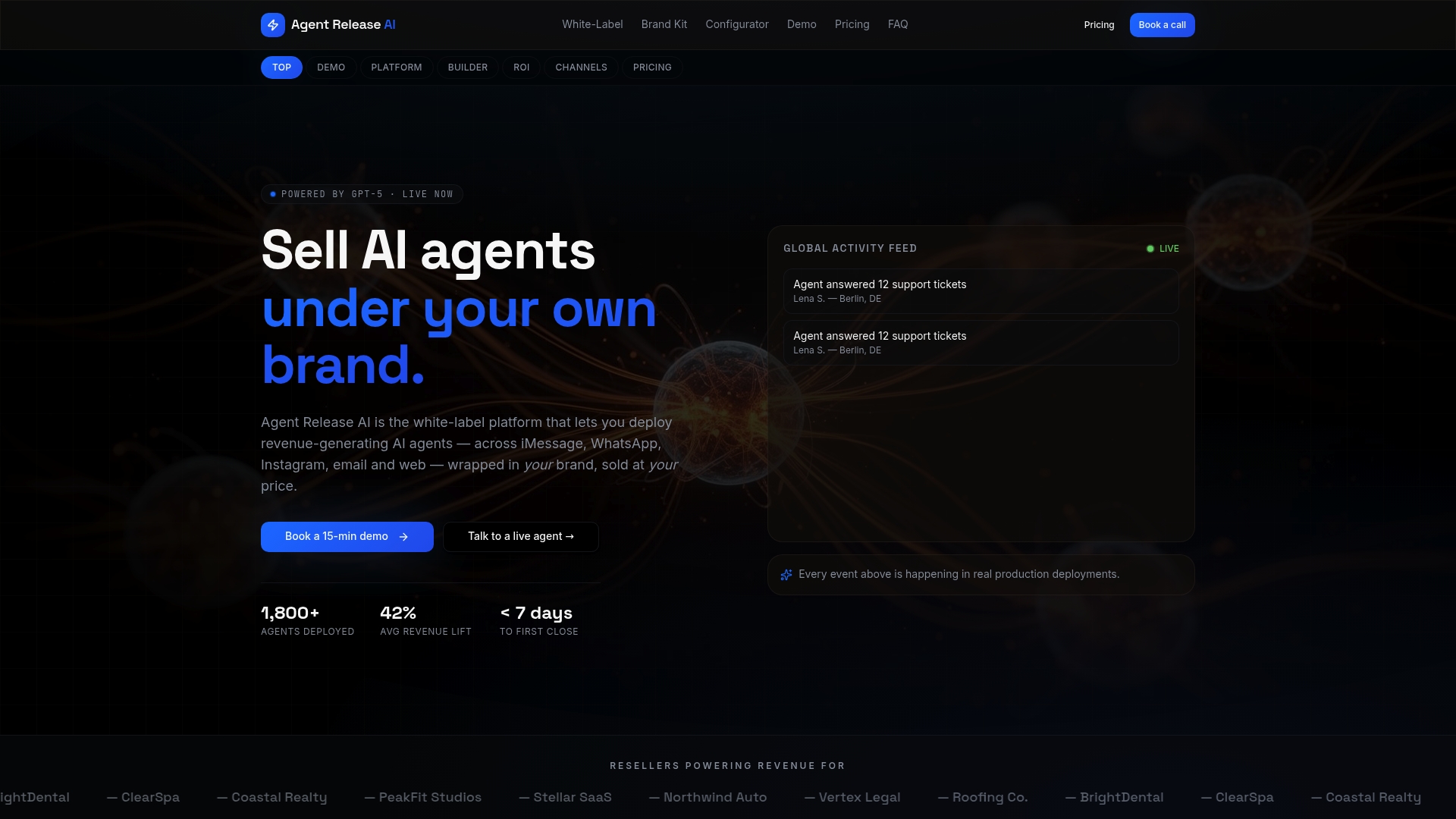
What that looks like in practice:
- Unlimited tenant creation, so each client gets their own branded agent without a separate build.
- Server-side revenue tracking, so you can see what each agent is generating without stitching together your own analytics.
- Custom domain and branding controls, including a brand kit generator, so every agent looks like it came from your business, not ours.
- AI-powered conversations tuned to each client’s niche, offer, pricing and tone.
We charge a flat $497 per month for the core Agent Release AI platform, with no setup, per-message or revenue-share fees, and a separate White-Label Program for agencies that want full branding and domain control. If you’re already running paid acquisition and want your chatbot leads tied cleanly to campaign data, a partner like Senior Ad Managers can help reconcile that tracking against CRM revenue. Check our pricing page to see if it fits your client roster.
FAQ
How to use a chatbot in WhatsApp?
Businesses build chatbots using the official WhatsApp Business API, connecting a webhook server that receives messages and replies automatically. As a customer, you simply message the business’s WhatsApp number as normal and the bot responds, often with quick-reply buttons or menu options.
How do I know if someone is a bot on WhatsApp?
Most business bots identify themselves in the first message or display a “Business Account” label with a green checkmark for verified accounts. If replies feel scripted, come instantly regardless of time of day, or offer a menu of fixed options, you’re very likely talking to an automated flow.
Is there a free tool to build a WhatsApp chatbot?
Meta’s WhatsApp Business Cloud API itself has no platform fee, though you pay for hosting and any paid message categories once you exceed free conversation tiers. Several no-code platforms offer free starter plans, but production use at any real volume typically moves to a paid tier once you need templates, multiple agents or analytics.
How much does a WhatsApp chatbot cost?
Costs vary widely depending on whether you build in-house (developer time plus hosting and message fees) or use a managed platform. As one reference point, our own Agent Release AI platform runs $497 per month flat, with no setup or per-message charges, which covers unlimited agents across WhatsApp and other channels.
Sources
- WhatsApp Business developer and product guidance
- OAIC — Australian Privacy Principles guidelines, chapter 7: Direct marketing