September 21, 2026
Ship Production Ready WhatsApp Message Templates for Engineers
A developer friendly how to for WhatsApp message templates. Create, submit, and run production ready templates with versioning, validation, and logging.

Ship Production Ready WhatsApp Message Templates for Engineers
A WhatsApp message template is a pre-approved message format required for any business-initiated message sent outside the 24-hour customer service window. Meta must approve every template before you send it, either through WhatsApp Manager or through a messaging provider. The fastest next step: draft one utility template with realistic sample values and submit it for review today.
TL;DR:
- Ensuring templates are categorized correctly as utility, marketing, or authentication is critical, as misclassification triggers rejection and delays approval.
- Using real, specific sample data and clear copy in your templates increases approval speed and reduces rejection chances during Meta’s review.
- Upload media files individually and re-upload before expiry, matching file type to header component, to maintain media validity for long campaigns.
- Store template IDs and sample values separately from application code to facilitate version control, localization, and faster troubleshooting.
- Templates should only initiate conversations, with personalized, relevant follow-up handled through free-form messaging within the 24-hour customer service window.
Table of Contents
- What are WhatsApp business templates made of?
- How do you create and submit a WhatsApp template?
- What are the WhatsApp template variable rules?
- How do you handle media templates and sending via API?
- What are some ready-to-use WhatsApp template examples?
- How should developers manage templates in production?
- Where do templates fit in your messaging strategy?
- Skip the build and launch branded agents instead
- Where to check official template documentation
- Sources
- FAQ
What are WhatsApp business templates made of?
Every template falls into one of three categories, and getting the category wrong is the single fastest way to get rejected. Utility templates cover transactional updates the customer expects, like order confirmations or appointment reminders. Marketing templates cover promotions, offers, and anything designed to drive a sale. Authentication templates exist purely to deliver one-time passcodes. Meta reviews the copy against the category you select, so a promotional line buried in a “utility” template is an automatic flag.
Structurally, a template is built from four components:
- Header — optional text, image, video, or document that sits at the top of the message.
- Body — the core message text, where most of your variables live.
- Footer — a short line of static text, often used for disclaimers or sign-offs.
- Buttons — quick reply buttons, call-to-action buttons (call phone number, visit website), or the special one-tap button required for authentication templates.
Media headers support a limited set of file types, and uploaded media persists on WhatsApp’s servers for 30 days before it needs re-uploading. Images need to be JPEG or PNG, video needs to be MP4, and documents need to be PDF. Plan your header format before you build the rest of the template. Choosing the wrong category or overloading a header with the wrong file type wastes a review cycle you didn’t need to lose.
How do you create and submit a WhatsApp template?
Creating a compliant template is mostly about discipline with naming and sample data, not complexity. Meta and its documentation stress that clear, specific copy with representative sample values is what separates a smooth approval from a rejected submission.
- Set up your account correctly. You need a verified WhatsApp Business Account inside Meta Business Manager, connected to a phone number, before you can submit anything.
- Name the template using lowercase letters and underscores only — no spaces, no capitals.
order_confirmation_v2works; “Order Confirmation” does not. - Choose your language and category. Each language variant of the same template is submitted and reviewed separately, so pick the primary market language first.
- Write the body copy and insert variables using the
{{1}},{{2}}placeholder format, then add a realistic sample value for every placeholder, such as “John” for{{1}}and “12 March” for{{2}}. - Attach header, footer, and button components if the template needs them, and confirm button labels match their action type.
- Submit through WhatsApp Manager, or through your provider’s console if you’re sending via Twilio’s Content Templates or Customer.io’s template builder.
Review usually happens fast. Customer.io notes most templates clear review within minutes, though some get pulled for manual review and can take up to 24 hours. If your status comes back “Rejected,” check the category match first, then check your sample values look like real data rather than placeholder text like “test” or “xxx” — vague samples are a common trigger for a second look.
Pro Tip: Keep a spreadsheet of every template you submit with its name, category, language, and sample values. When something gets rejected six months from now, you won’t remember why you phrased it that way, but the record will.
What are the WhatsApp template variable rules?
Variables use the {{1}}, {{2}}, {{3}} numbering format, and they must appear in strict sequential order in the body text. You can’t skip from {{1}} to {{3}} without a {{2}} in between, and most template types won’t let you place a variable at the very start or the very end of the body text.
Getting this wrong is the reason most templates bounce back:
- Sequencing errors — variables numbered out of order or with gaps.
- Placement errors — a variable sitting right at the opening or closing word of the body.
- Category mismatch — promotional phrasing (“Save 20% today!”) inside a utility template meant for order updates.
- Vague or missing sample values — every variable needs a sample that looks like genuine customer data, not a placeholder.
- Formatting inconsistency — mixing bold, italics, and variables in ways that break the parser.
Meta reviews every submission against its own guidelines and will reject anything that reads as non-compliant, and the review process doesn’t explain itself in much detail when it does. The fix is almost always the same: write the body copy first with plain, specific sample text standing in for each variable, then check the category description matches the tone of what you’ve actually written.
How do you handle media templates and sending via API?
Media headers give templates a lot more punch than plain text, but they come with a lifecycle you need to manage. Upload the file to get a media ID, then reference that ID inside the template’s header component rather than re-uploading the file every time you send.
- Upload once, reuse the ID — a media ID stays valid while the file persists on WhatsApp’s servers, which is 30 days from upload.
- Re-upload before expiry if you’re running a long campaign, since a stale media ID will fail silently or throw an error at send time.
- Match file type to header type — an image header needs JPEG or PNG, a document header needs PDF, and mismatches get rejected at the template level, not just at send time.
Sending an approved template through the Cloud API means constructing a JSON payload referencing the template name, language code, and an array of parameter values mapped to each {{1}}, {{2}} placeholder. Twilio’s version of this uses a ContentSid (the approved template’s identifier) paired with a ContentVariables object, where you pass the actual values as a simple key-value map at send time rather than rebuilding the whole template structure in every request. Twilio documents this pattern in detail, along with which rich features each channel supports.
Log every send attempt with the template ID, the parameter values used, and the raw provider response. When a customer says they never got their order update, that log is the difference between a five-minute lookup and an afternoon of guessing.
What are some ready-to-use WhatsApp template examples?
Here are four annotated starting points across the categories that matter most for business use, adapted from common formats industry guides recommend for keeping copy specific and promo-free where required.
- Order confirmation (utility): “Hi {{1}}, your order #{{2}} has shipped and should arrive by {{3}}. Track it here: {{4}}.” Four variables, no promotional language, strictly transactional.
- Delivery update (utility): “Your delivery for order #{{1}} is now out with the courier and expected between {{2}} and {{3}} today.” Time-sensitive, factual, no upsell.
- Authentication code (authentication): “{{1}} is your verification code. For your security, do not share this code.” Authentication templates require the special one-tap autofill button, and Meta restricts what copy surrounds the code itself.
- Marketing reminder with opt-in language (marketing): “Hi {{1}}, your favourites from last visit are back in stock. Reply STOP to opt out anytime.” Marketing templates need an explicit opt-out path, which utility templates don’t require.
Before submitting any of these, run a localisation and tone check: swap sample values for names and dates realistic to your market, and read the copy aloud in your brand’s voice rather than a generic corporate register. A template that sounds like every other business’s template won’t hurt approval, but it won’t help retention either.
How should developers manage templates in production?
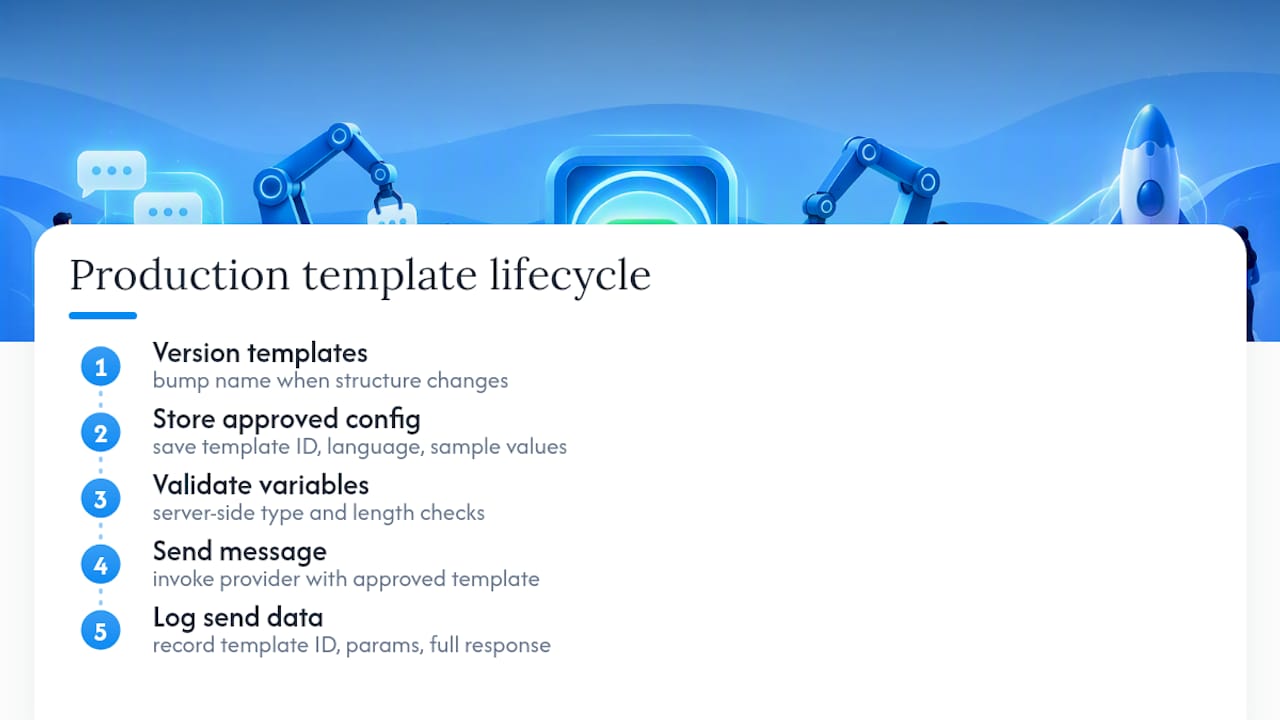
Version your templates independently from your application code. Store the approved template ID, its language code, and the exact sample values used at approval time in a config file or database record tied to each release, not hardcoded inline. Meta’s developer guidance recommends keeping copy and variable data separate, which also makes localisation and A/B testing far less painful.
Validate every variable server-side before it reaches the send call, checking type and length against what the approved template expects. Log the template ID, the parameter values, and the full provider response on every send. When a compliance question comes up eight months later, that audit trail is what saves you.
Pro Tip: Treat template approval like a schema migration. Never mutate an approved template’s structure without version-bumping the name. Meta doesn’t let you edit an approved template’s variables live, so a new version with a new name is the only safe path.
Where do templates fit in your messaging strategy?
Templates exist to start or restart conversations. Once a customer replies, you’re inside the 24-hour window and free-form messaging takes over. Leaning on templates for every interaction wastes their purpose. They’re for initiating, not for the whole conversation.
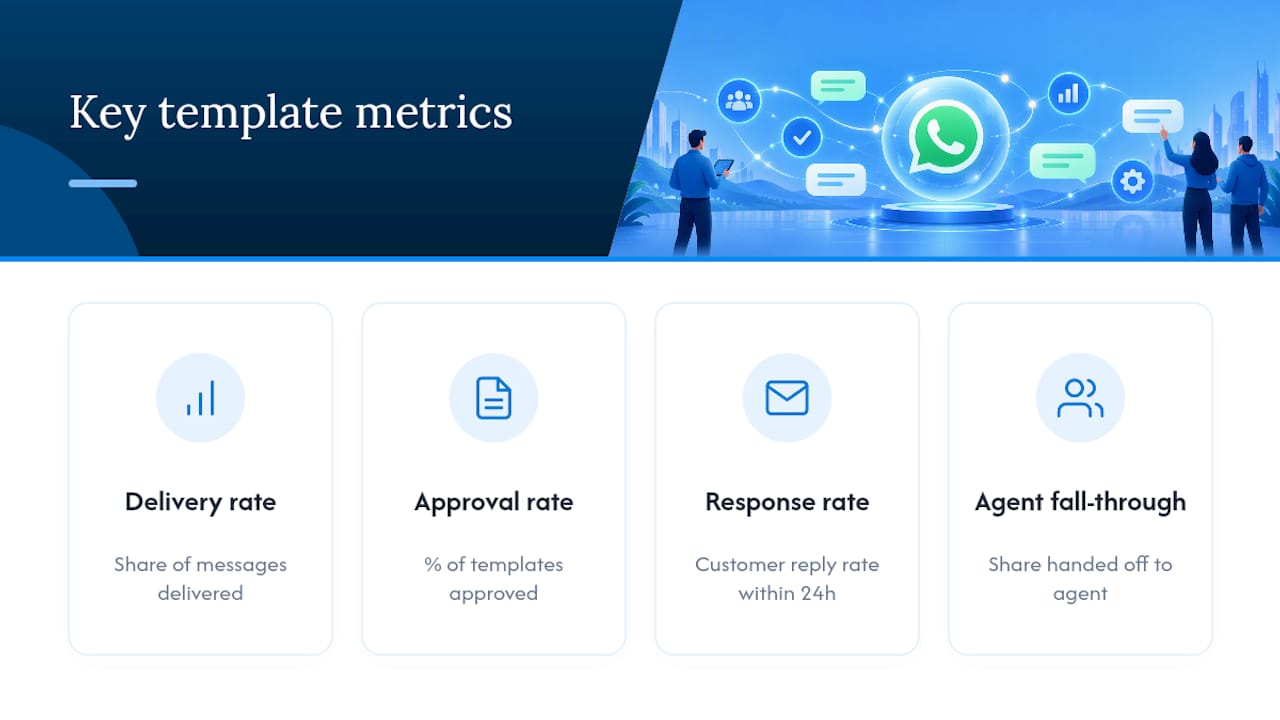
Track four numbers: delivery rate, template approval rate, response rate, and how often a templated message hands off to a human agent. A high fall-through rate to agents usually means your templates are too generic to resolve the customer’s actual question.
Consent and opt-out handling aren’t optional extras. Respect frequency caps, honour STOP replies immediately, and keep marketing sends separate from your utility volume so one bad campaign doesn’t drag down delivery rates for order confirmations.
Skip the build and launch branded agents instead
Building your own template governance, versioning, and multi-channel send logic from scratch takes real engineering time, and every provider integration adds another layer to maintain. You can use a white-label alternative to deploy branded conversational agents across WhatsApp, iMessage, email, and other channels under your own name, typically within a week, with server-side revenue tracking and enterprise-grade security built in.
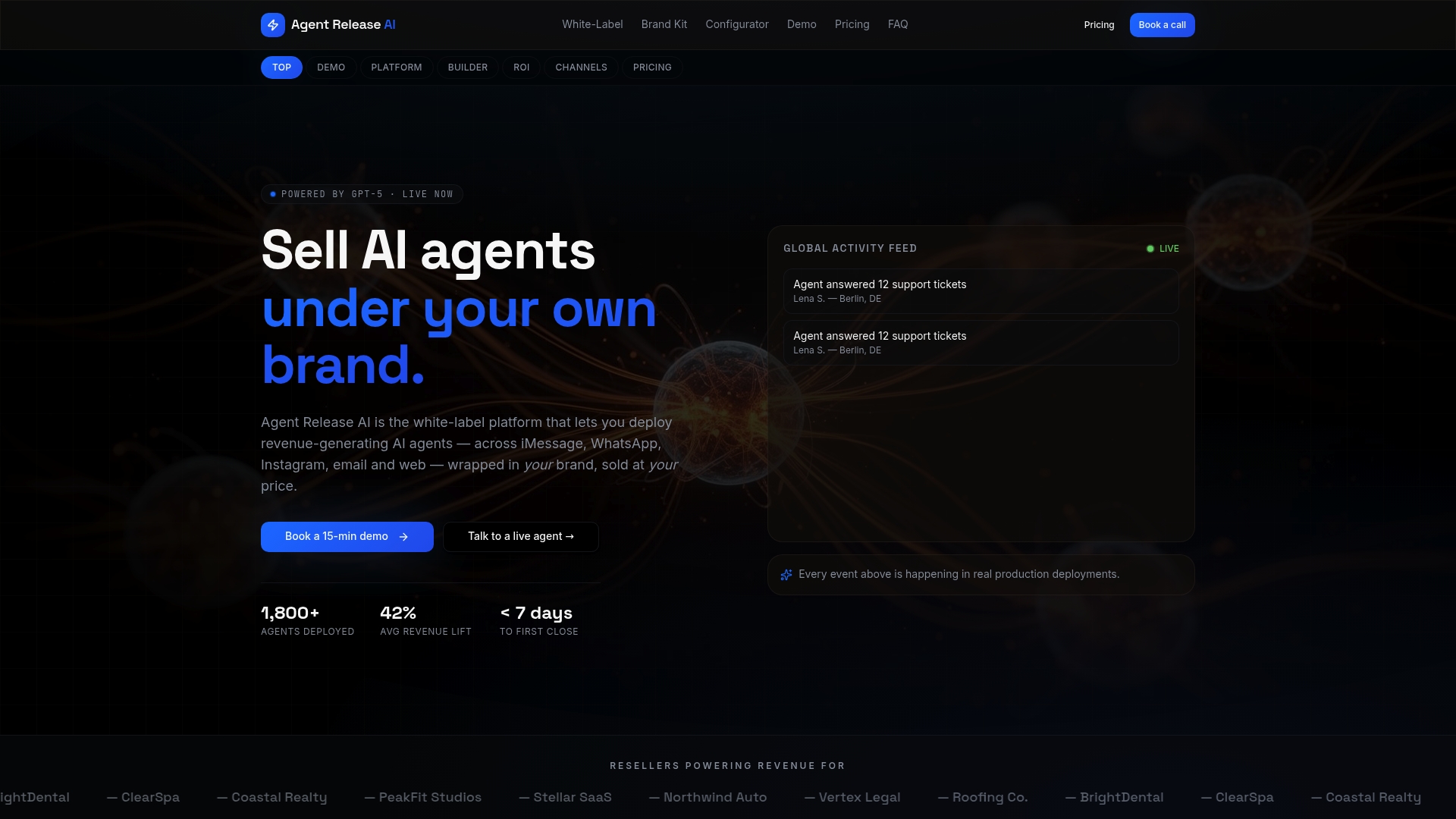
Agencies, consultants, and SaaS resellers get the most out of this. Instead of managing template approvals and API plumbing for every client separately, you run unlimited tenants from one platform, each with its own branding and domain. The Agent Release AI plan runs $497 per month with unlimited agents and channels, and the separate White-Label Program covers full branding and domain control for agencies reselling to their own clients. If you’re weighing WhatsApp against other channels for a client’s workflow, it’s also worth understanding how WhatsApp Business compares to Messenger before you commit engineering hours to one channel. Check the pricing page to see what fits your client roster.
— Agent
Where to check official template documentation
For anything approval-related, go straight to the source rather than a secondhand summary. Meta’s own template fundamentals documentation covers structure and category rules directly. If you’re sending through a provider, check Twilio’s template guidance or Customer.io’s template docs for platform-specific steps, since UI details differ from Meta’s native flow. Meta’s Blueprint training modules are worth a look if your team wants structured lessons rather than piecing it together from docs alone.
Sources
- Template fundamentals | Meta for Developers
- Send WhatsApp notification messages with templates | Twilio Docs
- Create WhatsApp content templates | Customer.io Docs
FAQ
How Do I Create a Message Template on WhatsApp?
Log into WhatsApp Manager or your Meta Business account, go to the message templates section, and select “Create Template.” Choose a category, name the template using lowercase and underscores, write your body copy with {{1}} style variables, add sample values for each, then submit for Meta’s review.
How Can I Create a Free WhatsApp Message Template?
Creating and submitting a template through WhatsApp Manager itself costs nothing. The free option works fine for a single business account testing a handful of templates, though providers with paid tiers add features like content editors and multi-channel reuse on top of the same underlying approval process.
Can You Give Some WhatsApp Message Template Examples?
Common examples include order confirmations (“Hi {{1}}, your order #{{2}} has shipped”), authentication codes with a mandatory one-tap button, and marketing reminders that include an opt-out line. Each needs to match its category: utility templates stay transactional, marketing templates need explicit opt-out language.
How Much Do WhatsApp Template Messages Cost?
Submitting and getting a template approved through Meta doesn’t cost anything on its own; charges apply per conversation once you’re sending messages, based on Meta’s own conversation-based pricing at the time of sending. Costs through a provider or platform vary by vendor, so check current pricing directly with whichever service you’re sending through, including Agentrelease’s pricing page if you’re evaluating a white-label option.