October 7, 2026
5 Omnichannel Chatbot Features Procurement Teams Must Demand
A procurement guide for decision makers and agencies: five omnichannel chatbot features to demand, orchestration essentials, fast white label rollout and...

5 Omnichannel Chatbot Features Procurement Teams Must Demand
An omnichannel chatbot is an AI-powered conversational system that keeps a customer’s history, intent and tone intact as they move between web chat, WhatsApp, SMS, social messaging and email. The main payoff is consistency: no repeated explanations, no cold handoffs, and faster resolution because the AI carries context rather than starting fresh on every channel.
TL;DR:
- Require shared customer history, intent, and account details across channels; separate connectors alone create silos and force customers to repeat themselves.
- Pair intent recognition with persistent memory, a unified inbox, and explicit escalation rules that transfer prior commitments, not merely a transcript, to human agents.
- Pilot one or two busy channels and a few valuable intents; map handoffs, connect CRM data, then expand based on resolution and repeat contact rates.
- Disclose AI clearly, minimize personal data collection, and set contractual and technical controls for processors, including data storage location and model training use.
- Large channel or support volumes can justify a platform; smaller teams can fix routing gaps first, while white label deployment can take under a week.
Table of Contents
- What is an omnichannel chatbot and how does it differ from multichannel?
- Why omnichannel chatbots justify the investment
- Key features to demand when evaluating a platform
- How omnichannel orchestration actually works
- Rolling out an omnichannel chatbot: priorities that matter
- Privacy and compliance basics for public-facing chatbots
- Deploying omnichannel patterns fast with a white-label platform
- Platform versus patchwork: how to decide
- Launching a branded omnichannel agent with Agent Release AI
- FAQ
- Sources
What is an omnichannel chatbot and how does it differ from multichannel?
An omnichannel chatbot is a conversational AI layer that sits across every channel a business uses and shares one customer profile, one conversation history and one set of intents, regardless of where the customer types. That is the practical definition decision-makers should work from, and it stays vendor-agnostic: the core requirement is shared context, not any particular brand of software.
The difference from multichannel matters more than it may sound. A multichannel setup gives customers choice (chat, SMS, email) but runs each channel in its own silo: a customer who starts on web chat and switches to WhatsApp has to repeat themselves, because the systems do not talk to each other. Omnichannel removes that seam. The conversation state, the customer’s intent and the agent’s prior responses travel with the customer, so a switch in channel feels like a continuation rather than a restart.
For decision-makers scoping a project, the channel list to expect generally includes:
- Website live chat and in-app messaging
- SMS and WhatsApp
- Social media direct messages (Instagram, Messenger)
- Voice, where the platform supports it
The channels themselves are commodities. What separates a real omnichannel deployment from a marketing label is whether the underlying AI, usually built on natural language understanding and large language models, can hold context and produce natural, on-brand responses no matter which of those channels the message arrives through.
Why omnichannel chatbots justify the investment
The business case rests on four measurable outcomes rather than on the novelty of AI itself.
Consistency cuts repeat contacts. When context travels with the customer, support teams stop fielding the same question twice, once in chat and again when the customer calls to follow up. That alone reduces handling volume for human agents.
Availability speeds resolution. An omnichannel chatbot answers at 2am on WhatsApp the same way it answers at 2pm on web chat, which shortens the gap between a customer’s question and a usable answer.
Lead capture improves when the bot work doubles as qualification. A chatbot that logs intent, contact details and context before a human ever joins the thread hands sales a warmer lead than a generic contact form.
Agent efficiency rises because routine volume gets absorbed. Staff spend their time on judgement calls and escalations, not on repeating answers already available in a knowledge base.
A large majority of customers are open to using automated service if it resolves their issue, according to ServiceNow’s newsroom research. That acceptance is conditional: the same research notes that correct voice AI integration is what makes the handoff to a human feel seamless, which means the technology only pays off when the handoff is designed properly, not bolted on as an afterthought.
- Fewer repeated contacts and lower average handling time
- Round-the-clock first response on every channel a customer picks
- Better-qualified leads reaching sales teams
- Human agents freed for complex or high-value conversations
Key features to demand when evaluating a platform
Procurement teams writing an RFP or scoping an internal build should treat the following as non-negotiable line items, not nice-to-haves.
- Natural language understanding and intent recognition. The system needs to interpret varied phrasing, slang and typos, and the underlying model should have a clear update or retraining cycle so accuracy does not degrade over time.
- Contextual memory across sessions and channels. A customer’s prior messages, order details and stated preferences should persist whether they return on the same channel tomorrow or a different one in ten minutes.
- Channel connectors and a unified inbox. Every channel needs a reliable integration, and all conversations should land in one inbox view so no team is working from a partial picture.
- Defined escalation and handoff rules. The system needs explicit triggers (sentiment, repeated failure to resolve, explicit request) that route a conversation to a human with full context attached, not just a transcript dump.
- Analytics and orchestration, including next-best-action logic. Beyond conversation logs, the platform should surface what is working, where customers drop off, and recommend the next step for an agent or the bot itself.
Intent recognition without contextual memory just produces a smarter FAQ bot. The two have to work together, with routing and analytics layered on top, before “omnichannel” is anything more than a label on the sales deck.
How omnichannel orchestration actually works
Strip away the marketing language and the architecture is fairly simple to describe. Each channel, web chat, WhatsApp, SMS, email, connects through its own connector into a central orchestration layer. That layer is where the real work happens: it holds the unified customer profile, decides which intent the message maps to, and chooses whether the bot answers, asks a clarifying question, or routes to a human.

The unified customer profile is the backbone. It stores identity, conversation history, order or account data and any context items gathered along the way, and that profile is what travels between channels. According to the AWS omnichannel customer experience whitepaper, true orchestration coordinates technology, data and teams to deliver real-time, context-aware service and next-best actions across marketing, sales and service rather than treating each channel as separate plumbing.
In practice, that orchestration layer runs a constant decisioning loop:
- Match the incoming message to an intent and pull the relevant profile data
- Decide whether to answer directly, ask for clarification, or escalate
- Attach the conversation’s context items (what was asked, what was offered, what was promised) to any handoff
- Log the outcome back into the profile so the next interaction, on any channel, starts from an informed position
Handoff is where most deployments succeed or fail. A good pattern passes a human agent the customer’s history, stated problem and any commitments already made, so the agent opens the conversation already briefed. Worth tracking as KPIs: time to first human response after escalation, percentage of handoffs with full context attached, and repeat-question rate after a handoff occurs. Agent Release AI’s documentation on chatbot-to-human handoff patterns sets out two common patterns and six context items worth capturing before any handoff triggers.
Rolling out an omnichannel chatbot: priorities that matter
Most failed deployments try to cover every channel and every intent on day one. A tighter rollout sequence gets to a working system faster and with less risk.
- Pick one or two high-volume channels and a short list of high-value intents for the pilot. Order status, booking changes and basic FAQs are common starting points because the volume is high and the logic is simple to validate.
- Map the conversation flows and handoff triggers before any integration work starts. Decide, on paper, exactly when the bot hands off and what context travels with that handoff.
- Integrate CRM and other core data sources early. A unified customer profile is only useful if it is actually populated with real account, order and interaction data, not a stub.
- Run the pilot, capture KPIs, and iterate before adding channels. Resolution rate, handoff frequency and repeat-contact rate tell you whether the logic is sound.
- Scale with governance once the pilot proves out. Add channels and intents incrementally, with the same handoff and context rules applied consistently.
Pro Tip: Start with the channel your customers already use most for support, not the channel that is easiest to integrate; adoption follows habit, not convenience for your engineering team.
Skipping the mapping step is the single most common cause of a chatbot that technically works but frustrates customers: the bot answers correctly but hands off without context, forcing the exact repetition the whole project was meant to eliminate.
Privacy and compliance basics for public-facing chatbots
A chatbot that collects personal information is subject to the Australian Privacy Principles, so the first job is a straightforward compliance check, not a technical one. The OAIC’s guidance on commercially available AI products recommends updating privacy notices, clearly identifying AI systems to users, and avoiding entry of personal or sensitive information into public AI tools unless collection is reasonably necessary.
Practical controls worth building in from the start:
- Disclose clearly, in the chat window itself, that the customer is talking to an AI system
- Minimise what the bot asks for, and avoid using customer inputs to train models unless that use is explicitly governed and disclosed
- Put contractual and technical controls in place with any third-party processor, including where data is stored and processed
- Consider data residency requirements before selecting a vendor, particularly for regulated sectors
IP Australia’s own public chatbot privacy notice states that user inputs are not used to train models and warns users not to enter personal information, which is a workable template for how a public-sector-grade notice reads in practice, as set out in the IP First Response chatbot privacy notice. Businesses deploying their own bots can borrow that same level of explicitness. Technical security controls, covered in detail in Agent Release AI’s guide to AI chatbot security, and in a lifecycle AI security architecture framework for regulated firms, are worth reviewing before launch rather than after an incident.
Deploying omnichannel patterns fast with a white-label platform
Most of the architecture described above, unified profiles, connectors, handoff logic, takes months to build from scratch. A white-label platform compresses that timeline considerably, because the orchestration layer, connectors and handoff rules already exist and only need configuring to a brand’s tone, offer and pricing.
A white-label platform can compress deployment timelines, enabling faster launches often within a week instead of months, and support multi-tenant management allowing agencies to handle branded AI agents for multiple clients from a single account.
- Multi-tenant architecture built for resellers managing many client brands from one platform, detailed in the guide to multi-tenant chatbot patterns
- Defined handoff patterns and context items, so a human picking up a conversation sees what the bot already knows rather than a blank transcript
- Server-side revenue tracking, so agencies can attribute leads and sales generated by each deployed agent
- Enterprise-grade security controls built into the platform rather than added as a later integration
For agencies weighing a rapid go-to-market, the guide to launching omnichannel messaging in under a week walks through the practical sequencing involved.
Platform versus patchwork: how to decide
An AI-first omnichannel platform earns its cost when the business runs several channels already, handles meaningful support or sales volume, or plans to resell branded agents to clients. Scale is the signal: the more channels and the more tenants involved, the faster a unified platform pays back against the alternative of stitching separate tools together.
A small team on one or two channels with low volume rarely needs that investment yet. Incremental fixes, a better knowledge base, clearer routing rules, a single extra integration, solve the immediate problem without the overhead of a full platform.
The practical next step differs accordingly: scale-driven teams should pilot a platform against one high-volume channel, while smaller teams should fix the specific gap causing repeat contacts before considering a bigger build.
— Agent
Launching a branded omnichannel agent with Agent Release AI
If the priorities above, shared context, defined handoffs, proper security, sound right but building them from scratch feels like a six-month detour, that is exactly the gap we built Agent Release AI to close. We give agencies, consultants and SaaS resellers a white-label platform for deploying AI agents across iMessage, WhatsApp, Instagram DMs, Messenger, SMS, email, web chat and voice, all under their own brand rather than ours.
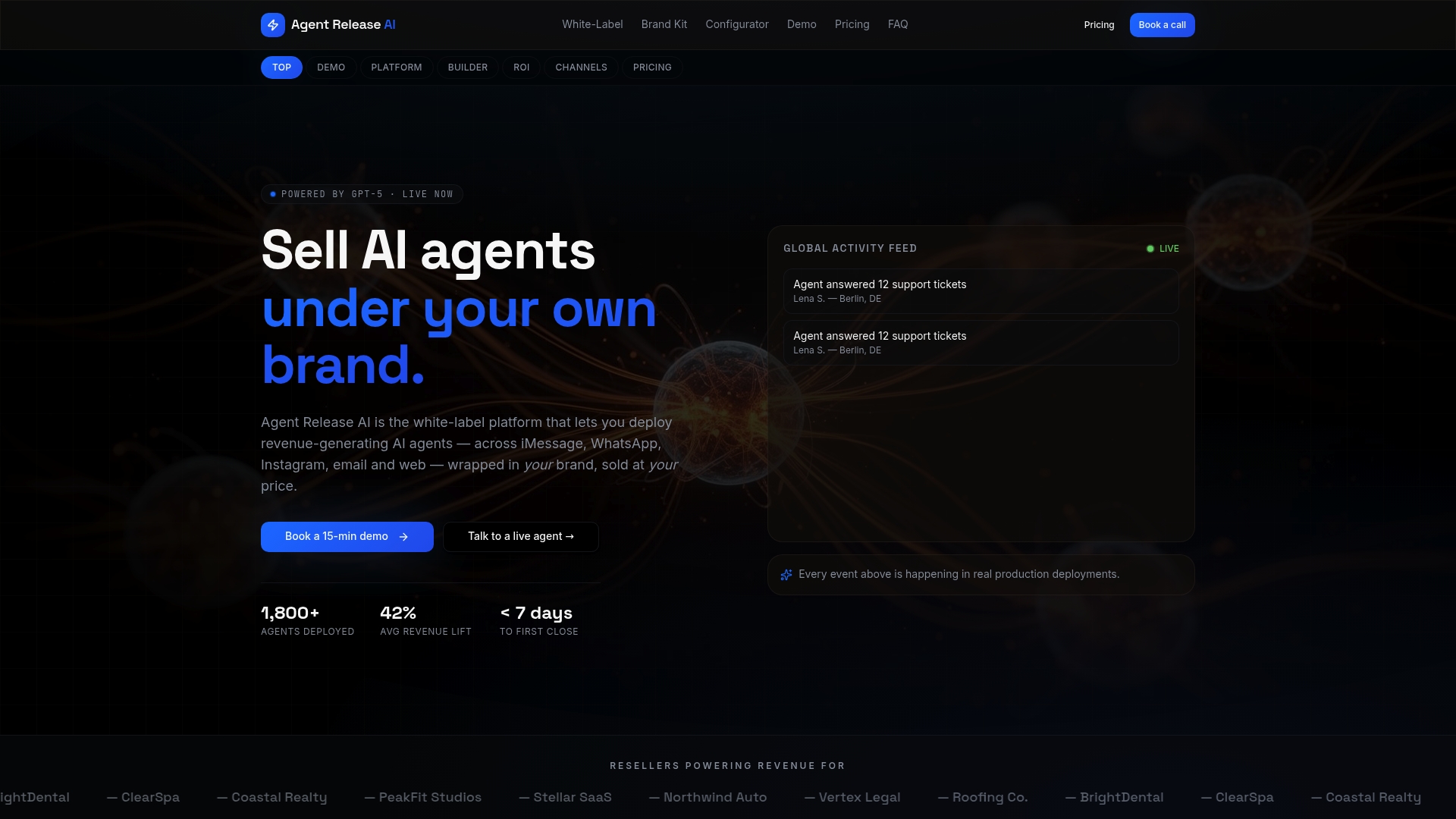
- Deployment typically takes under a week, with GPT-5-powered conversations tailored to your niche, offer, pricing and tone
- Full white-label controls, including custom domain and branding, so your clients see your brand, not ours
- Unlimited tenant creation, so agencies can onboard new clients without separate infrastructure for each one
- Server-side revenue tracking and enterprise-grade security built into the platform from day one
Our Agent Release AI plan runs $497 per month with unlimited agents and channels. Agencies and resellers wanting full branding and domain control can step up to our White-Label Program, with pricing available on request. Check your fit through our white-label configurator or view full pricing details to get started.
FAQ
What are the four pillars of omnichannel?
Omnichannel strategy is generally built on four pillars: consistent customer experience across channels, a unified customer profile that carries context between them, integrated data and systems behind the scenes, and coordinated teams or automation making decisions from that shared view. The AWS omnichannel customer experience whitepaper frames this as orchestration across marketing, sales and service rather than separate channel management.
What does the term “omnichannel” mean?
Omnichannel means every channel a customer uses, chat, email, social messaging, phone, shares the same underlying data and context, so the experience feels continuous rather than segmented. It is distinct from multichannel, where channels exist side by side but do not share information.
What is an omnichannel contact centre?
An omnichannel contact centre is a support operation where agents handle conversations from every channel through one unified view, with full customer history and context attached regardless of where the conversation started. Industry guidance such as the AWS omnichannel CX whitepaper treats this unified view as the basis for real-time, context-aware service.
What is omnichannel orchestration?
Omnichannel orchestration is the coordination layer that decides, in real time, how a customer’s conversation should be handled: which intent applies, whether the bot answers or escalates, and what context travels with that decision. It is the mechanism that turns separate channel connections into one coherent customer experience.
How quickly can a business launch a branded omnichannel chatbot?
With a white-label platform, deployment can take under a week rather than months, since the orchestration, connectors and handoff logic already exist and only need brand-specific configuration. Deployment timelines under a week are achievable with some white-label platforms due to pre-built orchestration, connectors, and handoff logic that only require brand-specific configuration.
Sources
- Omnichannel customer experience (AWS whitepaper)
- AI helps cut 10 million hours from Australia’s on‑hold crisis — ServiceNow
- Guidance on privacy and the use of commercially available AI products — OAIC
- IP First Response chatbot privacy notice — IP Australia