October 8, 2026
WhatsApp Lead Nurturing: From Ad Click to Handoff for Small Businesses
See how small businesses nurture WhatsApp leads from ad click to human handoff with consent, approved templates, automation, and a white label launch.

WhatsApp Lead Nurturing: From Ad Click to Handoff for Small Businesses
Yes, WhatsApp works for lead nurturing when you capture explicit opt-in, use approved templates and automate a short drip that hands off to a human. The winning formula is simple: capture, confirm opt-in, run an automated drip, hand off to a real person at the right moment, then measure. We walk through each step below, including message templates, consent requirements and the automation options that make it scale.
TL;DR:
- Record each lead’s opt in time, source, and preferences; provide a same channel opt out, and honor requests within 30 days.
- Use a four message drip immediately, then on days 2, 4, and 7, with one next action per message and a human ready for replies.
- Use approved templates outside active conversations; after a lead replies, free form messaging lasts 24 hours, then another approved template is required.
- The Business App suits solo operators with a few daily messages, while the API connects CRM workflows and supports multiple agents from one number.
Table of Contents
- How WhatsApp fits the marketing funnel
- Capture and consent: click-to-message, widgets, QR codes and opt-in wording
- Nurture tactics: drips, templates and the 24-hour window
- Automation and integrations that keep nurturing running
- Measuring and improving your WhatsApp nurture
- What running WhatsApp nurture sequences actually looks like
- How Agent Release AI gets your WhatsApp nurturing live fast
- FAQ
- Sources
How WhatsApp fits the marketing funnel
WhatsApp earns its place at every funnel stage, not just the bottom. At awareness, click-to-message ads turn a scroll into a conversation with one tap, and click-to-message campaigns work best when paired with an automated first reply that confirms interest immediately. At consideration, WhatsApp becomes a live Q&A channel: leads ask about pricing, features or availability and get answers in the same thread they started. At conversion, it handles bookings, order confirmations and payment reminders without forcing the lead back into email.
The appeal comes down to behaviour. People check WhatsApp the way they check texts from friends, which means messages get opened and replied to faster than a typical newsletter. The format also supports images, PDFs, voice notes and quick-reply buttons, so a single thread can carry a product demo video, a pricing sheet and a booking link without the lead ever leaving the app.
For marketing teams and small businesses, this plays out in a few concrete ways:
- A fitness studio turns Instagram ad clicks into a WhatsApp thread that answers class questions and books a trial session.
- A consulting firm uses WhatsApp to send a short explainer video after a webinar signup, then follows up with a calendar link.
- An ecommerce brand recovers abandoned carts by sending a reminder template with a direct checkout link.
- A real estate agent shares listing photos and floor plans in-thread, then schedules inspections through quick replies.
Each of these examples pairs a specific funnel stage with a WhatsApp strength: speed at the top, conversation in the middle, and a frictionless close at the bottom.
Capture and consent: click-to-message, widgets, QR codes and opt-in wording
Before any nurture sequence runs, you need a lead’s explicit permission to message them on WhatsApp. Getting this right protects your deliverability and keeps you on the right side of direct-marketing rules.
The main capture channels worth building are:
- Click-to-message ads on Meta platforms, which open a WhatsApp thread the moment someone taps, as outlined in guidance on click-to-message ads.
- Website chat widgets that let visitors start a WhatsApp conversation without leaving your site.
- QR codes on packaging, receipts, event signage or print ads that open a pre-filled WhatsApp message.
- Lead magnet flows, where a form submission triggers a WhatsApp opt-in request before the resource is delivered.
Every one of these needs clear opt-in copy. A line like “Reply YES to get updates and offers from us on WhatsApp. Reply STOP anytime to opt out” does the job: it states what the lead is agreeing to and how to leave. The OAIC’s guidance on direct marketing requires an opt-out mechanism that is obvious, simple and free, with requests actioned within a reasonable period, generally no more than 30 days.
Before you send a single nurture message, run through this checklist:
- Store the opt-in timestamp and source against each contact.
- Confirm the opt-in with a short welcome message that restates what they’ll receive.
- Log any stated preferences (topic, frequency) alongside the consent record.
- Build an opt-out that works in the same channel, not a separate form or email address.
Pro Tip: Send the opt-out instruction in every third or fourth message, not just the first one. It costs you nothing and removes any ambiguity about consent.
Nurture tactics: drips, templates and the 24-hour window
A good WhatsApp drip is short, specific and built around a single next action per message. Here’s a four-message sequence that works for a typical B2B or service lead:
- Message 1 (immediate): Confirm opt-in and deliver the promised resource, like a PDF or demo link.
- Message 2 (day 2): Share a short case example or testimonial relevant to the lead’s stated interest.
- Message 3 (day 4): Answer a common objection and invite a reply with a specific question.
- Message 4 (day 7): Offer a booking link or a direct call to action, with a human agent flagged to pick up replies.
WhatsApp message templates are required for any message you send outside an active customer-initiated conversation window, and they need approval through the WhatsApp Business Platform before use. Templates work well for transactional touches such as booking confirmations or payment reminders, while free-text replies are reserved for live conversations once the lead has responded.
A key rule to design around: once a customer messages you, you have 24 hours to reply with a free-form message before you need an approved template again. This is often called the 24-hour window, and it shapes how nurture sequences are built. If a lead goes quiet past that window, your next message must be a template, typically a re-engagement one like “Still interested in [offer]? Reply YES and we’ll pick up where we left off.”
Personalisation lifts reply rates noticeably when it’s based on real behaviour rather than just a first name. Reference the specific page they visited, the product they asked about, or the time since their last reply. Behavioural triggers, such as “opened link but didn’t reply,” are a natural cue to escalate the lead to a human agent rather than sending another automated message. For detailed template structures and variable passing, our guide on building production-ready WhatsApp templates covers the components in more depth.

Automation and integrations that keep nurturing running
The right automation setup depends on volume and how much control you need over the conversation. The WhatsApp Business App suits a solo operator sending a handful of messages a day. The WhatsApp Business API is built for scale: it connects to a CRM, handles templates programmatically and supports multiple team members replying from one number.
A common integration pattern looks like this:
- A form submission or ad click triggers a CRM record and starts the sequence.
- The CRM sends an approved welcome template via the API.
- The system waits for a reply or a set timeout before sending the next step.
- A qualifying reply routes the lead to a human agent; a non-reply triggers a re-engagement template.
For teams not ready to build on the API directly, low-code connectors like Make or Zapier can link a CRM, a form tool and WhatsApp into this same trigger-template-handoff flow without custom development. A lighter option still is a Google Sheets-based workflow, where a script checks for new rows and fires off messages through a simple script or connector. This works for testing a sequence with a small list before committing to a full platform, or using services for account recovery and username handling like WhatsApp Unban | EPEΛN. Once volume grows past what a spreadsheet can reliably handle, moving to a dedicated platform or API integration avoids dropped messages and missed replies. Our comparison of build versus buy options for WhatsApp AI agents walks through that decision point in more detail, and a developer-facing deployment checklist covers the technical setup for teams building their own.
Measuring and improving your WhatsApp nurture
A WhatsApp nurture sequence is only as good as what you measure. Four metrics matter most: reply rate (did the lead engage at all), conversion per conversation (did the thread end in a booking or sale), time to reply (how fast your team responds once a lead replies), and revenue per chat (the commercial value a thread generates).
Worth testing on a rolling basis:
- Message timing: morning versus evening sends, and the gap between drip steps.
- Call-to-action wording: a direct ask versus a softer invitation to reply.
- Template versus free-text replies once a conversation is live.
- Segmentation by source: ad clicks, QR scans and lead magnets often convert at different rates.
A minimum reporting setup doesn’t need to be complex. Track opt-ins, reply rate and conversions weekly, and flag any sequence step where drop-off spikes. A short weekly check, fifteen minutes against last week’s numbers, catches a broken template or a stale CTA before it costs you a month of leads. Behaviour-based nurturing, where sequences adjust based on what a lead actually does rather than a fixed schedule, is covered in more depth in our piece on AI-driven lead nurturing.
What running WhatsApp nurture sequences actually looks like
Deploying a WhatsApp nurture flow is less about clever copy and more about getting the mechanics right: opt-in capture, template approval, timing against the 24-hour window, and a clean handoff to a human when a lead is ready to talk. A white-label platform for launching AI agents across WhatsApp, iMessage and email under your own brand handles most of that mechanical layer, which is why speed of deployment matters so much for teams testing this channel for the first time.
Rapid pilots, often live within a week, tend to reveal quickly whether a sequence resonates with a given audience, and privacy handling needs to be built in from day one rather than bolted on later, a point covered in our notes on running a support automation pilot. Enterprise-grade security and server-side revenue tracking matter most once a sequence starts generating bookings or sales you need to attribute accurately.
Most WhatsApp nurture failures trace back to one thing: treating it like email with a different app icon instead of the conversational channel it actually is.
— Agent
How Agent Release AI gets your WhatsApp nurturing live fast
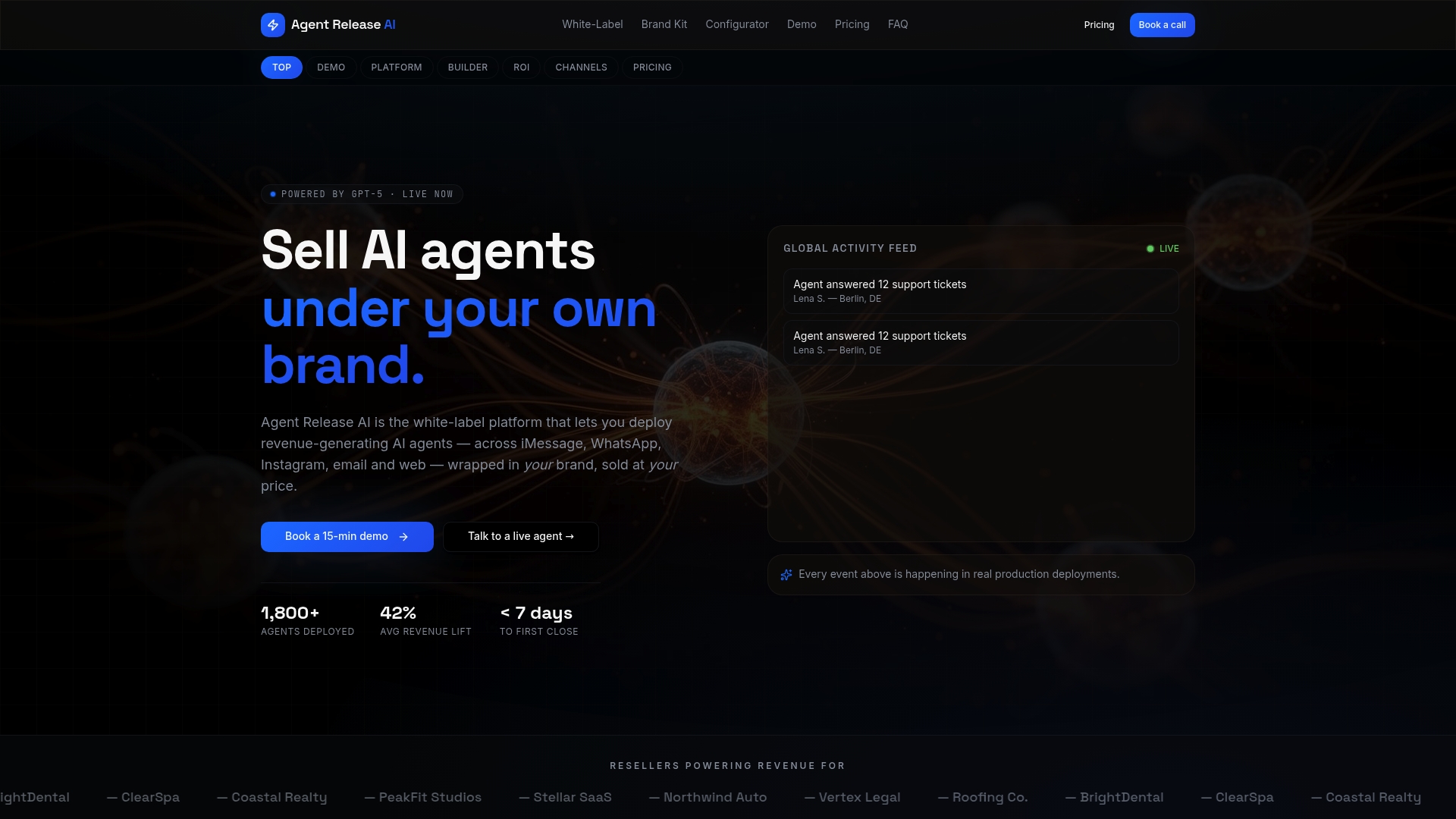
We built Agent Release AI so you don’t have to stitch together an API, a CRM connector and a template approval process on your own. Our platform handles capture, approved templates, drip automation and revenue attribution in one white-label product that carries your brand, not ours.
What this looks like in practice:
- Launch under your own brand with full domain and branding control.
- Go live typically within a week, with AI-powered conversations tuned to your offer and tone.
- Track revenue server-side so every booking or sale generated through WhatsApp is attributed.
- Create multiple tenants if you’re an agency or reseller managing nurture flows for multiple clients.
Our Agent Release AI plan runs at a flat $497 per month with no setup fees or per-message charges, and our White-Label Program is built specifically for agencies and consultants who want to resell branded AI agents to their own client base. If you’re ready to see how a sequence like the ones above would run on your number, book a demo and we’ll show you a working setup, not just a slide deck.
FAQ
What are WhatsApp marketing tools?
WhatsApp marketing tools are platforms and connectors that let businesses send approved message templates, automate drip sequences and manage conversations at scale, typically through the WhatsApp Business API. They range from simple widget plugins for small businesses to full platforms that connect a CRM, trigger templates and track revenue per conversation.
What is the meaning of lead nurturing?
Lead nurturing is the process of building a relationship with a potential customer through relevant, timed communication until they’re ready to buy. On WhatsApp, this usually means a short sequence of messages that answers questions, shares proof points and offers a clear next step.
What is the 24-hour rule on WhatsApp?
Once a customer sends you a message, you have a 24-hour window to reply with a free-form message, as described in WhatsApp’s template documentation. After that window closes, you need an approved message template to restart the conversation.
How do I generate my own leads?
Lead generation on WhatsApp typically starts with click-to-message ads, website widgets or QR codes that open a conversation, each requiring explicit opt-in before you send marketing messages. Combining a clear value offer, like a free guide or discount, with a simple opt-in line tends to produce the strongest response.
Sources
- Chapter 7: APP 7 Direct marketing | OAIC
- How to manage message templates on the WhatsApp Business Platform | WhatsApp for Business
- How to engage leads at each stage of the funnel using click-to-message ads